



 Full Games List
 Featured Games
 New Games
 Reviews
 Media
Media Images
 Blogs
Blogs Game Updates
 Images Feedback Summary
 Game Design Highlights
 Tutorials
 Articles
 Scripts
 Utilities / Plugins
 Resources
 Engines
 Engine Bulletins
 What is Makerscore?
 Past Events
 Achievements
 Misaos
 Forums
 Post History
 Chat
Chat New to RMN?
 Full Store List
 RMN Music Pack (free)



[RMXP] PARALLAXING IN XP??
Posts
Pages:
1
 glithch
 View playlists
 Close
Closeall the tutorials ive seen seem to be made on different version and i reaaaally need to make my own map without tiling stuff so it looks like in 'pom gets wifi' :/
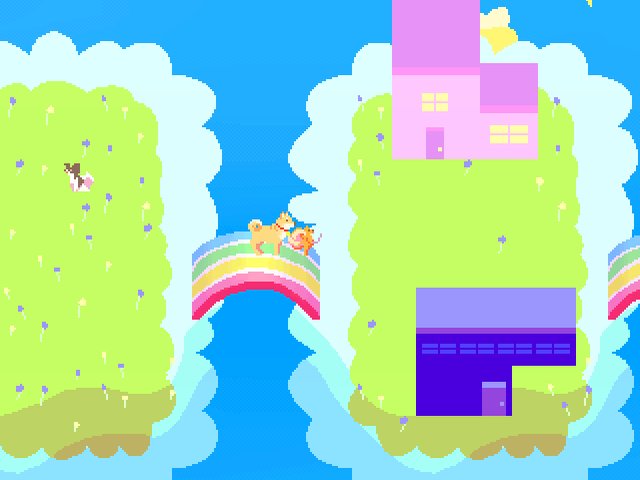
i literally bough rpg maker xp today because it was on sale on steam and im really confused aboutall of this
i literally bough rpg maker xp today because it was on sale on steam and im really confused aboutall of this
LockeZ

I'd really like to get rid of LockeZ. His play style is way too unpredictable. He's always like this too. If he ran a country, he'd just kill and imprison people at random until crime stopped.
5958
RPG Maker XP is lacking a lot of pretty basic stuff. The ability to parallax map easily is one of them. You can still do it though, it's just unbelievably obnoxious because you have to set all the passabilities on a white empty map and can't see what you're doing.
To give a map a parallax background, you need an extra command in the event that teleports the player into the map. After teleporting the player into the map, use the event command Change Map Settings, which is on the second tab of event commands. Here you can set a parallax background for your map.

The backgrounds you want to use should be put in your game's Panoramas folder. For best results the panorama should be the exact same size as your map. Tiles in RPG Maker XP are 32x32 pixels, so if you have a 20x15 tile map (which is the default size of a map) then the panorama should be 640x480 pixels.
If it's not too late, I recommend getting a refund for RPG Maker XP and buying RPG Maker VX Ace instead. The Steam version of RPG Maker XP is pretty much just unusable due to a major bug that prevents you from inputting four lines of text in a text box. The standalone version actually has the same bug, but there's a fan-made patch that doesn't work for the Steam version. If you can't get a refund, there's a shitty workaround you'll have to use instead, by right-clicking in the event window and choosing Batch Text Entry.
To give a map a parallax background, you need an extra command in the event that teleports the player into the map. After teleporting the player into the map, use the event command Change Map Settings, which is on the second tab of event commands. Here you can set a parallax background for your map.
The backgrounds you want to use should be put in your game's Panoramas folder. For best results the panorama should be the exact same size as your map. Tiles in RPG Maker XP are 32x32 pixels, so if you have a 20x15 tile map (which is the default size of a map) then the panorama should be 640x480 pixels.
If it's not too late, I recommend getting a refund for RPG Maker XP and buying RPG Maker VX Ace instead. The Steam version of RPG Maker XP is pretty much just unusable due to a major bug that prevents you from inputting four lines of text in a text box. The standalone version actually has the same bug, but there's a fan-made patch that doesn't work for the Steam version. If you can't get a refund, there's a shitty workaround you'll have to use instead, by right-clicking in the event window and choosing Batch Text Entry.
Pages:
1

