



 Full Games List
 Featured Games
 New Games
 Reviews
 Media
Media Images
 Blogs
Blogs Game Updates
 Images Feedback Summary
 Game Design Highlights
 Tutorials
 Articles
 Scripts
 Utilities / Plugins
 Resources
 Engines
 Engine Bulletins
 What is Makerscore?
 Past Events
 Achievements
 Misaos
 Forums
 Post History
 Chat
Chat New to RMN?
 Full Store List
 RMN Music Pack (free)



[RMXP] FULLSCREEN LIKE RM2K3 AND 8BIT DEPHT ON SCREEN
Posts
Pages:
1

 Dragon_Kamillo
 View playlists
 Close
CloseI usually use a RM95 or RM2k/3 but I want make one game with RM95 resolution and better working in new OSs.
And since I decided a use a new RMs I decided use a H-Mode 7 engine, in RM95 I must stay in normal 2D, but in RMXP I can use this, so I want, because I like a pseudo 3D.
I awhile tested this on RMVX ACE (even made a 640x480 variant on H-Mode 7 engine) but I had to go to RMXP, because in RMVX ACE this engine has a few bugs which I can't repair...
But I have this same request for both makers so this is no difference - only probably in VX ACE this would be easier to make...
So - first request - better fullscreen.
In RM2k3 we have something like that:

I know that give this for other RMs will be very hard, but I want only 1 fullscreen variant - 1280x960 on black background. I have 1960x1080 resolution and RMXP fullscreen is blured or 640x480 on black. But why, since this can be 1280x960? Of course 0 blurred, o interpolation - only nearer neigbour. This is at all posibble? Even fullscreen++ script for VX ACE is senseless because has stupid blurr - eyes hurt.
So in principle of operation this is simple - script check a user resolution - and depends on this give 640x480, 1280x960, 1920x1440, 2560x1920 and so on game resolution and rest of screen fills black color.
And - second request - this will be strange, but I want max 256 colour on game screen in one moment... like RM95.
Normally this would be simple - I would be reduce all images to 8bit with one pallete and this would be solve. Is a possible use png images in 8bit indexed pallete with alpha channel.
But problem is a H-Mode 7 and transparent window.
I start from transparent window because this is also in RM95, so even without H-Mode 7 I want has this in my game:

This is created somehow by choice a darken colour in pallete for all colour in background so give half-transparrent effect with maintaining max 256 colour in screen. When I in RMXP give normall picture with 128 transparrent I would be create quite new colours - so this is for ass.
And H-Mode 7 problem:

You can see further textures is getting darker - I can off this effect by then screen will be flat - so I want has this. But in then this create more colours so I dont't like.
But old 3D games work in 8bit depht and has various lighting effect and this look super - I want receive these effect.
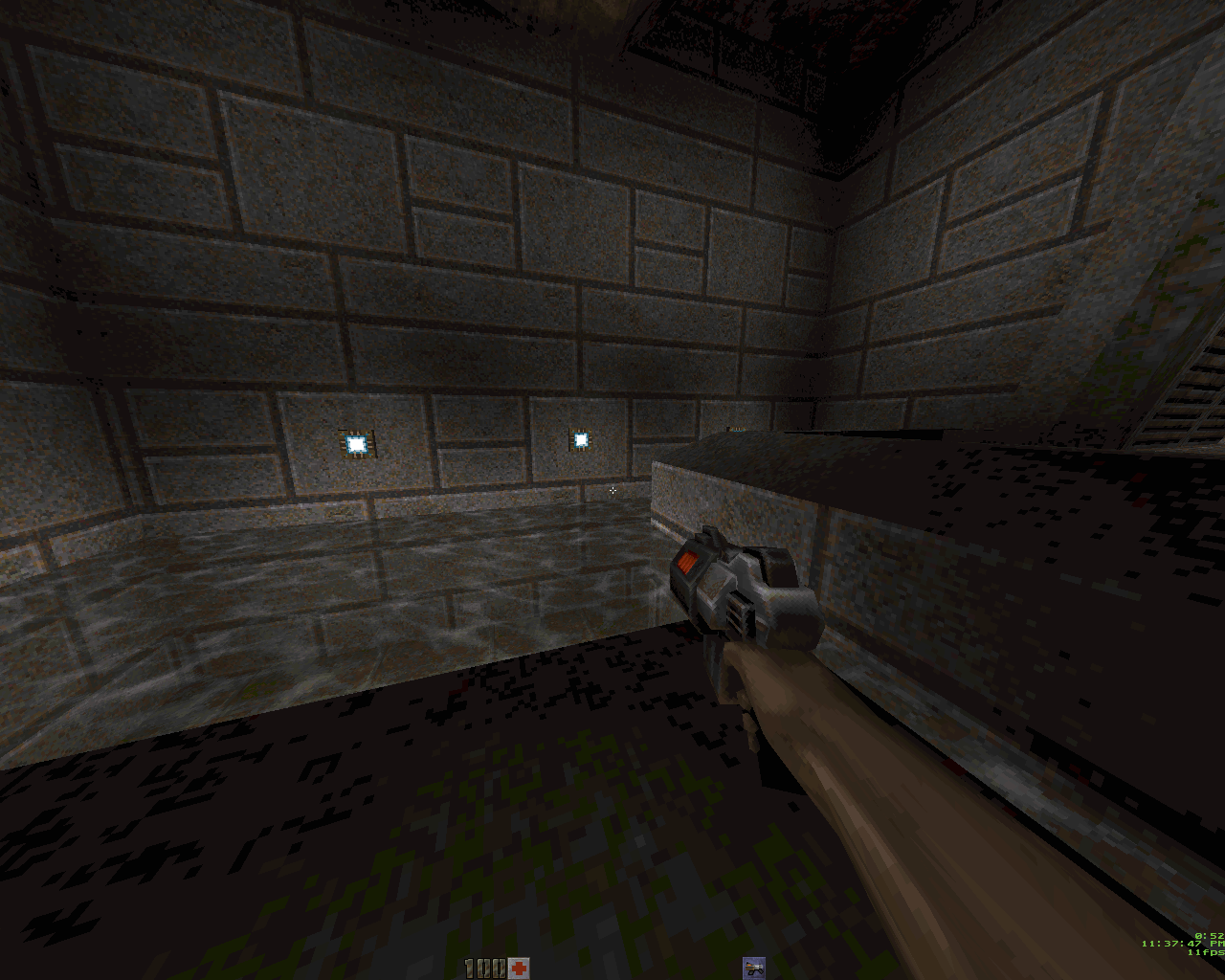
So I see and want have two solution:
1 - script which take screen from game, reduce this to 8bit and show this instead original.
2 - script which take screen from game, reduce this to my own fixed pallete (this must be to change while game) and show this instead original.
This is at all possible? I want have both scripts, but I know this can be unenforceable. In other hand 640x480 in black screen is still ok in 1960x1080 but 8bit depht is unenforceable in this situation which I have - and this spils all retro effects...
So maybe someone can write these scripts or know other solutions.
And since I decided a use a new RMs I decided use a H-Mode 7 engine, in RM95 I must stay in normal 2D, but in RMXP I can use this, so I want, because I like a pseudo 3D.
I awhile tested this on RMVX ACE (even made a 640x480 variant on H-Mode 7 engine) but I had to go to RMXP, because in RMVX ACE this engine has a few bugs which I can't repair...
But I have this same request for both makers so this is no difference - only probably in VX ACE this would be easier to make...
So - first request - better fullscreen.
In RM2k3 we have something like that:
I know that give this for other RMs will be very hard, but I want only 1 fullscreen variant - 1280x960 on black background. I have 1960x1080 resolution and RMXP fullscreen is blured or 640x480 on black. But why, since this can be 1280x960? Of course 0 blurred, o interpolation - only nearer neigbour. This is at all posibble? Even fullscreen++ script for VX ACE is senseless because has stupid blurr - eyes hurt.
So in principle of operation this is simple - script check a user resolution - and depends on this give 640x480, 1280x960, 1920x1440, 2560x1920 and so on game resolution and rest of screen fills black color.
And - second request - this will be strange, but I want max 256 colour on game screen in one moment... like RM95.
Normally this would be simple - I would be reduce all images to 8bit with one pallete and this would be solve. Is a possible use png images in 8bit indexed pallete with alpha channel.
But problem is a H-Mode 7 and transparent window.
I start from transparent window because this is also in RM95, so even without H-Mode 7 I want has this in my game:
This is created somehow by choice a darken colour in pallete for all colour in background so give half-transparrent effect with maintaining max 256 colour in screen. When I in RMXP give normall picture with 128 transparrent I would be create quite new colours - so this is for ass.
And H-Mode 7 problem:
You can see further textures is getting darker - I can off this effect by then screen will be flat - so I want has this. But in then this create more colours so I dont't like.
But old 3D games work in 8bit depht and has various lighting effect and this look super - I want receive these effect.
So I see and want have two solution:
1 - script which take screen from game, reduce this to 8bit and show this instead original.
2 - script which take screen from game, reduce this to my own fixed pallete (this must be to change while game) and show this instead original.
This is at all possible? I want have both scripts, but I know this can be unenforceable. In other hand 640x480 in black screen is still ok in 1960x1080 but 8bit depht is unenforceable in this situation which I have - and this spils all retro effects...
So maybe someone can write these scripts or know other solutions.
Pages:
1

