



 Full Games List
 Featured Games
 New Games
 Reviews
 Media
Media Images
 Blogs
Blogs Game Updates
 Images Feedback Summary
 Game Design Highlights
 Tutorials
 Articles
 Scripts
 Utilities / Plugins
 Resources
 Engines
 Engine Bulletins
 What is Makerscore?
 Past Events
 Achievements
 Misaos
 Forums
 Post History
 Chat
Chat New to RMN?
 Full Store List
 RMN Music Pack (free)



[RM2K3]
Posts
Pages:
1

 awe_famsquad
 View playlists
 Close
Closeidk how to import these things, everytime i try to it just says unsupported png image. send help? (from top 2 below, the charset, faceset and title)
p.s (OH MY GOD I SCREWED THE TITLE UP I'M SORRY)
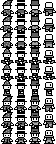
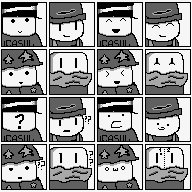

p.s (OH MY GOD I SCREWED THE TITLE UP I'M SORRY)
It just say that 2k3 NOT use png... change them bmp(256)...
Because colors at like that, MAYBE use PAINT do that...
Because colors at like that, MAYBE use PAINT do that...

It's likely they aren't 8-bit PNGs.
1. Download Paint.NET (https://www.getpaint.net/)
2. Install it, and open your image.
3. Click "save as" and save your image.
4. A window pops up to select the bit depth. Choose "8-bit" and save it.
The image should work now.
However, I still don't think your charset will work, because RM2k3 only supports images at 288x256 resolution for charsets.
1. Download Paint.NET (https://www.getpaint.net/)
2. Install it, and open your image.
3. Click "save as" and save your image.
4. A window pops up to select the bit depth. Choose "8-bit" and save it.
The image should work now.
However, I still don't think your charset will work, because RM2k3 only supports images at 288x256 resolution for charsets.
author=awe_famsquadYoure put that files idea at little round...
it should be look that:
* * * *
* * * *
NOT AT:
*
*
*
Edit *= is now persons... hmm... are them walk order right? Aren´t your look it OWN files, it help UNDERSTAND what i say...
I talking RPGMAKER 2K3´S ...
(Are wanna put fight that? Keep mind at this version battles are side not screen... so... well... check again these already files... )

For the sprites you might need to set them out in the usual 2k/3 style or they won't work. They also need to be the proper size. Grab one of the RTP charasets and use it as a base on how to set the sprites out properly so they animate correctly.
Also, as narcodis said, you might need to change the images to be 8-bit png files.
Also, as narcodis said, you might need to change the images to be 8-bit png files.
MSPaint from Windows 7 or higher saves the images to 32-Bit by default, no matter if it's BMP or PNG.
If the transparency continues even at 8-Bit it will continue to affect the file.
To fix it use MSPaint itself, set a background color of a different color and when saved will appear the warning that it will lose transparency, even if it appears to not exist.
Finally convert to 256 colors (8-Bit).
If you need I uploaded the images converted to you:


https://ibb.co/XtqC2H1
https://ibb.co/Ykkhgzj
https://ibb.co/sRh3LCH
If you come to edit any of them you will return to 24/32-Bit.
If the transparency continues even at 8-Bit it will continue to affect the file.
To fix it use MSPaint itself, set a background color of a different color and when saved will appear the warning that it will lose transparency, even if it appears to not exist.
Finally convert to 256 colors (8-Bit).
If you need I uploaded the images converted to you:
https://ibb.co/XtqC2H1
https://ibb.co/Ykkhgzj
https://ibb.co/sRh3LCH
If you come to edit any of them you will return to 24/32-Bit.
I just converted to 8-Bit, if you want to edit use TEMPLATE:
https://i.imgur.com/Ta1lA81.png
https://i.imgur.com/Ta1lA81.png
author=BossMaker
I just converted to 8-Bit, if you want to edit use TEMPLATE:
https://i.imgur.com/Ta1lA81.png
That at already answered i meen Template(s)
Well... better more than less, or it go?


The moment you import click the green color and it will start blinking.
This will confirm that it is transparent.
This will confirm that it is transparent.

Pages:
1


