



 Full Games List
 Featured Games
 New Games
 Reviews
 Media
Media Images
 Blogs
Blogs Game Updates
 Images Feedback Summary
 Game Design Highlights
 Tutorials
 Articles
 Scripts
 Utilities / Plugins
 Resources
 Engines
 Engine Bulletins
 What is Makerscore?
 Past Events
 Achievements
 Misaos
 Forums
 Post History
 Chat
Chat New to RMN?
 Full Store List
 RMN Music Pack (free)



[RM2K3] UPPER/EVENT LAYERS AND TEST PLAY SHOW BLACK SCREENS
Posts
Pages:
1
 flatwoodsgf
 View playlists
 Close
Closei don't have any trouble editing the lower layer of the maps, but the upper & event layers are completely black. they look like this:
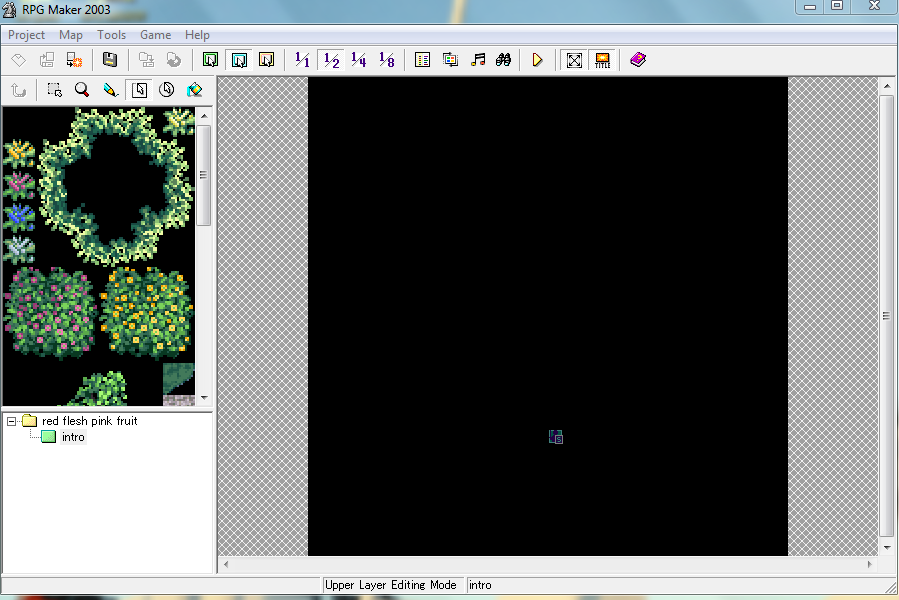
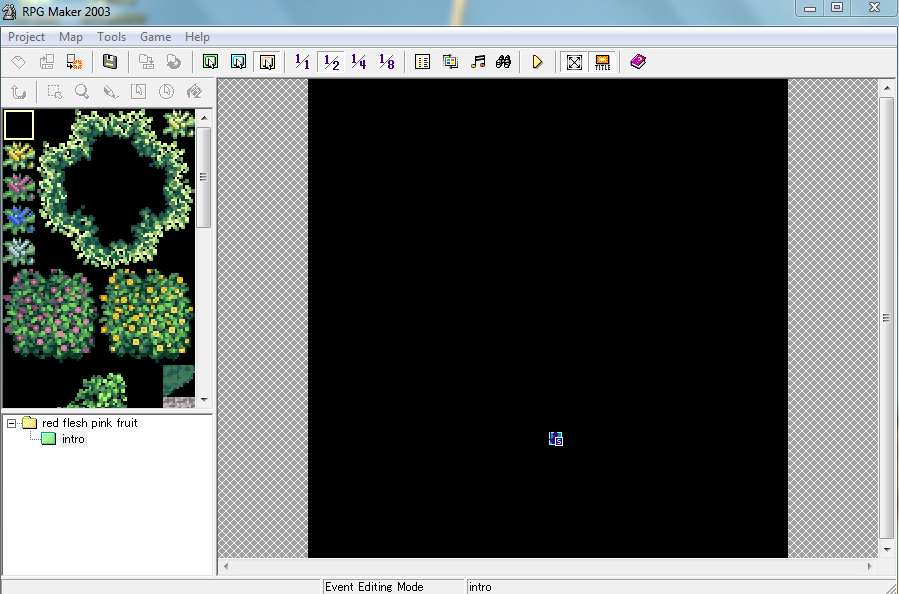

i did manage to blindly put a spawn point in the event layer, but when i test play it, the game itself is a black screen. the title screen loads just fine.
i'm not sure what to do. i've looked all over and so far haven't seen anyone have this issue - the closest i got was a thread about someone's rmxv game test giving them a black screen, and the response was essentially "huh that's weird" before the thread was closed without a clear solution. if you could help me out i would really appreciate it!
i did manage to blindly put a spawn point in the event layer, but when i test play it, the game itself is a black screen. the title screen loads just fine.
i'm not sure what to do. i've looked all over and so far haven't seen anyone have this issue - the closest i got was a thread about someone's rmxv game test giving them a black screen, and the response was essentially "huh that's weird" before the thread was closed without a clear solution. if you could help me out i would really appreciate it!
On your chipset, the first tile of the second layer is probably black color. It needs to be transparent color. What it's doing is drawing that first tile over everything, and since it's black that's all you see.
Your chipset seems to use black as the background transparency color. I would suggest not doing that, because if it's the same RGB color value as any other black used in the tiles, you will have issues.
When you import the chipset, you can choose the transparent color. If you did it here, and pick the first upper tile color, which is black, it will make all the legit black in the tileset transparent. Not what you want.
If you just make the first upper tile a different color and call that transparent when you import, none of the other tiles will have transparent bg cause it's black. Actually, this would be a good way to test if this is actually your issue. If you make the first tile green, and import clicking that green, then testplay isn't black anymore. Then you know it was your problem. If that doesn't work, then it might be something entirely different.
So what you'd have to do is make all the transparent bg color of the chipset something that isn't used in the tiles(pink is a good choice), then import the chipset from the resource manager, click that color(it will start flashing), and hit OK. Then when you test again it should work.
If you didn't know, you can edit a tileset image(without importing), but until you change tilesets/maps in the editor, or go into the database and update it, the editor won't update and show your changes. Be sure to testplay your changes.
Your chipset seems to use black as the background transparency color. I would suggest not doing that, because if it's the same RGB color value as any other black used in the tiles, you will have issues.
When you import the chipset, you can choose the transparent color. If you did it here, and pick the first upper tile color, which is black, it will make all the legit black in the tileset transparent. Not what you want.
If you just make the first upper tile a different color and call that transparent when you import, none of the other tiles will have transparent bg cause it's black. Actually, this would be a good way to test if this is actually your issue. If you make the first tile green, and import clicking that green, then testplay isn't black anymore. Then you know it was your problem. If that doesn't work, then it might be something entirely different.
So what you'd have to do is make all the transparent bg color of the chipset something that isn't used in the tiles(pink is a good choice), then import the chipset from the resource manager, click that color(it will start flashing), and hit OK. Then when you test again it should work.
If you didn't know, you can edit a tileset image(without importing), but until you change tilesets/maps in the editor, or go into the database and update it, the editor won't update and show your changes. Be sure to testplay your changes.
Pages:
1

