



 Full Games List
 Featured Games
 New Games
 Reviews
 Media
Media Images
 Blogs
Blogs Game Updates
 Images Feedback Summary
 Game Design Highlights
 Tutorials
 Articles
 Scripts
 Utilities / Plugins
 Resources
 Engines
 Engine Bulletins
 What is Makerscore?
 Past Events
 Achievements
 Misaos
 Forums
 Post History
 Chat
Chat New to RMN?
 Full Store List
 RMN Music Pack (free)



FFDSHOW?
Posts
Pages:
1
 SnowPin
 View playlists
 Close
CloseHow do I get my audio codecs to stop opening like 400 ffdshow decoder things when I play rmn bros or any other game?

oooo, I remember seeing a solution to this somewhere, but I forgot to bookmark it (or do it). It only seems to happen to me when I am at home on my Vista machine (doesn't seem to happen on XP).
Time to google!
Time to google!
Oh right! It was on the Talking Time forums:
"To fix this, you need to adjust your codec in its control panel to run only one multiple instance (or if that doesn't work, turn off multiple instances entirely) before playing SMBX."
I haven't tried to do it myself yet, but I will give it a shot tonight.
"To fix this, you need to adjust your codec in its control panel to run only one multiple instance (or if that doesn't work, turn off multiple instances entirely) before playing SMBX."
I haven't tried to do it myself yet, but I will give it a shot tonight.
I saw that on Talking Time also, but all it says is in Control panel... but doesn't tell you where in the control panel.
It shouldn't be too hard to find. There's only so many things in the control and if you exclude things that obviously don't have anything to do with video/codec...
What OS are you on? Does your control panel have a classic view? Things are usually easier to find in classic view.
What OS are you on? Does your control panel have a classic view? Things are usually easier to find in classic view.
W7 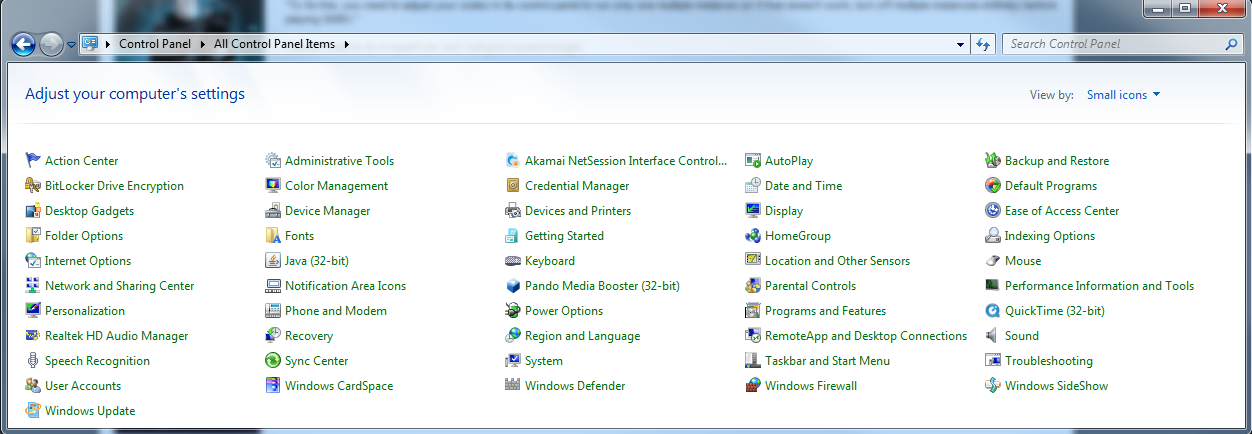
I've searched through - Sound, Realtek, Quicktime, Task and Start Menu and System. None have anything regarding codecs.
I've searched through - Sound, Realtek, Quicktime, Task and Start Menu and System. None have anything regarding codecs.
"adjust your codec in its control panel"
You need to find out what codec you have installed, and how to configure it. It might not be accessible from the Windows Control Panel
You need to find out what codec you have installed, and how to configure it. It might not be accessible from the Windows Control Panel
Oh wow, as if I didn't see "its" lmao. I don't even know what Codecs I have lmao. I think its kLite but no clue how to find the cp for it.. tried searching.
The codec is FFDshow, is it not? Just right click on the icon I would think.
I don't have that junk installed. What's the point of it anyways?
I don't have that junk installed. What's the point of it anyways?
author=Link_2112The codec will take input from SMBX, and convert into something that your soundcard can process.
The codec is FFDshow, is it not? Just right click on the icon I would think.
I don't have that junk installed. What's the point of it anyways?
Though the specifics on this one, and how to manage it/configure it - I have no idea. However, I have the same problem at home and I will investigate it and get back to you on what I did.

Open command prompt and run this:
%SystemRoot%\system32\rundll32.exe "Path to ffdshow.ax" configureAudio
example:
%SystemRoot%\system32\rundll32.exe "C:\Program Files\FFDShow\ffdshow.ax" configureAudio
Then under DirectShow > Multiple ffdshow instances select "only one - check previous filter only"
If that still doesn't work, under the same tab add the name of the program executable to the "Don't use ffdshow in:" list, and check the box beside it if it is not already.
edit:
not sure if that's were rundll32.exe is still in Windows 7 if you have that though, so you might have to change that path too
%SystemRoot%\system32\rundll32.exe "Path to ffdshow.ax" configureAudio
example:
%SystemRoot%\system32\rundll32.exe "C:\Program Files\FFDShow\ffdshow.ax" configureAudio
Then under DirectShow > Multiple ffdshow instances select "only one - check previous filter only"
If that still doesn't work, under the same tab add the name of the program executable to the "Don't use ffdshow in:" list, and check the box beside it if it is not already.
edit:
not sure if that's were rundll32.exe is still in Windows 7 if you have that though, so you might have to change that path too
author=GameOverGames Productions
Open command prompt and run this:
%SystemRoot%\system32\rundll32.exe "Path to ffdshow.ax" configureAudio
example:
%SystemRoot%\system32\rundll32.exe "C:\Program Files\FFDShow\ffdshow.ax" configureAudio
Then under DirectShow > Multiple ffdshow instances select "only one - check previous filter only"
If that still doesn't work, under the same tab add the name of the program executable to the "Don't use ffdshow in:" list, and check the box beside it if it is not already.
edit:
not sure if that's were rundll32.exe is still in Windows 7 if you have that though, so you might have to change that path too
I love you. Thanks everyone for the help :) Finally got it to stop. I think I'm going to become a regular here, you guys were really helpful. I used to use RPG maker a LONG LONG time ago... Like back in 2000 or something. I'll have to get it again and make something was really fun :D

I don't have that junk installed.I would like to object to the notion of calling ffdshow "junk", it's one of the best decoders out there when it comes to decoding audio and video and has a selection of very nice filters and mixers for those that use them.
What's the point of it anyways?Decoding audio/video. The strength of ffdshow lies in the primary codec library it uses, which is libavcodec. libavcodec is able to decode a lot of codecs and formats in an efficient, standard-abiding fashion and is sometimes even superior to the original decoder.
More information on ffdshow can be found at ffdshow's wiki, and at CCCP's FAQ* and Advanced FAQ*.
*CCCP (Combined Community Codec Pack) is a codec pack utilizing ffdshow at its core, so a lot of the information there applies to ffdshow as well.
Pages:
1

