



 Full Games List
 Featured Games
 New Games
 Reviews
 Images
 Blogs
Blogs Game Updates
 Images Feedback Summary
 Game Design Highlights
 Tutorials
 Articles
 Scripts
 Utilities / Plugins
 Resources
 Engines
 Engine Bulletins
 What is Makerscore?
 Past Events
 Achievements
 Forums
 Post History
 Chat
Chat New to RMN?
 Full Store List
 RMN Music Pack (free)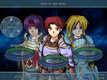

0 reviews
 Add Review
 Subscribe
 Nominate
 Submit Media
 RSS
RSS
Testers results
 TDS
TDS- 12/14/2010 05:02 AM
- 1340 views
Here's another update for those of you who still check this out.
This update is mostly about the ideas and suggestions from the testers, and how I tried to
make them work.
First up. Improvements that cannot be put into screenshots.
-All scripts in the game have been redone.
-The speed of battles has been increased dramatically(Animations, damage and actions).
-Battle commands are now executed as soon as they are chosen.
-Now you can target both allies and enemies with attacks and some skills.
-Speed attribute for skills has been removed.
And now for the ones with screenshots.
One complaint about the battle system was the targeting.
It's been change, so it would allow for Square/Shape choosing and target or location choosing.

Mostly field related skills allow you to choose squares freely, while normal skills would allow you to choose only targets and whatever is caught up in the target area.
Another thing that bothered a few people was how the information about items and skills was displayed in battle.
Here's a comparison image with the old and new one.

And that would be it for today. I wanted to add a video to show it all in action but couldnt find anyone who could record it with sound.
Also, I'm currently looking for someone who can draw very well to work on some of the scenes in the game that are too hard to convey with sprites.
Thank you for reading and have a nice day.
This update is mostly about the ideas and suggestions from the testers, and how I tried to
make them work.
First up. Improvements that cannot be put into screenshots.
-All scripts in the game have been redone.
-The speed of battles has been increased dramatically(Animations, damage and actions).
-Battle commands are now executed as soon as they are chosen.
-Now you can target both allies and enemies with attacks and some skills.
-Speed attribute for skills has been removed.
And now for the ones with screenshots.
One complaint about the battle system was the targeting.
It's been change, so it would allow for Square/Shape choosing and target or location choosing.
Mostly field related skills allow you to choose squares freely, while normal skills would allow you to choose only targets and whatever is caught up in the target area.
Another thing that bothered a few people was how the information about items and skills was displayed in battle.
Here's a comparison image with the old and new one.
And that would be it for today. I wanted to add a video to show it all in action but couldnt find anyone who could record it with sound.
Also, I'm currently looking for someone who can draw very well to work on some of the scenes in the game that are too hard to convey with sprites.
Thank you for reading and have a nice day.
Posts 

Pages:
1

 View playlists
 Close
CloseGood to hear this is still being worked on!
Also, if you can, I would encourage you to work with sprite emotes... poses have more charm and life than portrait expressions!
EDIT: Also, would it at all be possible to maybe have an option to turn off all the item info? Preferably something easily done, like hitting a button to turn off the info window (or better yet, a button that turns it on), like shift or something. I imagine most people can figure out what a panacea does after the first time they use it, eh?
Also, if you can, I would encourage you to work with sprite emotes... poses have more charm and life than portrait expressions!
EDIT: Also, would it at all be possible to maybe have an option to turn off all the item info? Preferably something easily done, like hitting a button to turn off the info window (or better yet, a button that turns it on), like shift or something. I imagine most people can figure out what a panacea does after the first time they use it, eh?

author=narcodis
Good to hear this is still being worked on!
EDIT: Also, would it at all be possible to maybe have an option to turn off all the item info? Preferably something easily done, like hitting a button to turn off the info window (or better yet, a button that turns it on), like shift or something. I imagine most people can figure out what a panacea does after the first time they use it, eh?
Added to the battle system. Thank you for the suggestion Narcodis.
author=Mitsuhide_The_Vagrant
Awesome, dude.
Replies like this help a lot with wanting to keep working. Thanks!
Pages:
1

