



 Full Games List
 Featured Games
 New Games
 Reviews
 Media
Media Images
 Blogs
Blogs Game Updates
 Images Feedback Summary
 Game Design Highlights
 Tutorials
 Articles
 Scripts
 Utilities / Plugins
 Resources
 Engines
 Engine Bulletins
 What is Makerscore?
 Past Events
 Achievements
 Misaos
 Forums
 Post History
 Chat
Chat New to RMN?
 Full Store List
 RMN Music Pack (free)



[RMMV] TYPE ERROR
Posts
Pages:
1
 Bu3d
Bu3d View playlists
 Close
CloseI keep getting this error after making a new graphic for an enemy. I have searched the forums and most of the time this error seems to be script related. Please do NOT move this thread. I do not believe this to be script related in my case.
As far as plugins go this project is mostly vanilla. The only plugins I have is simple land vehicles and touch ui enabled.
I included screenshots that may help illustrate the issue.
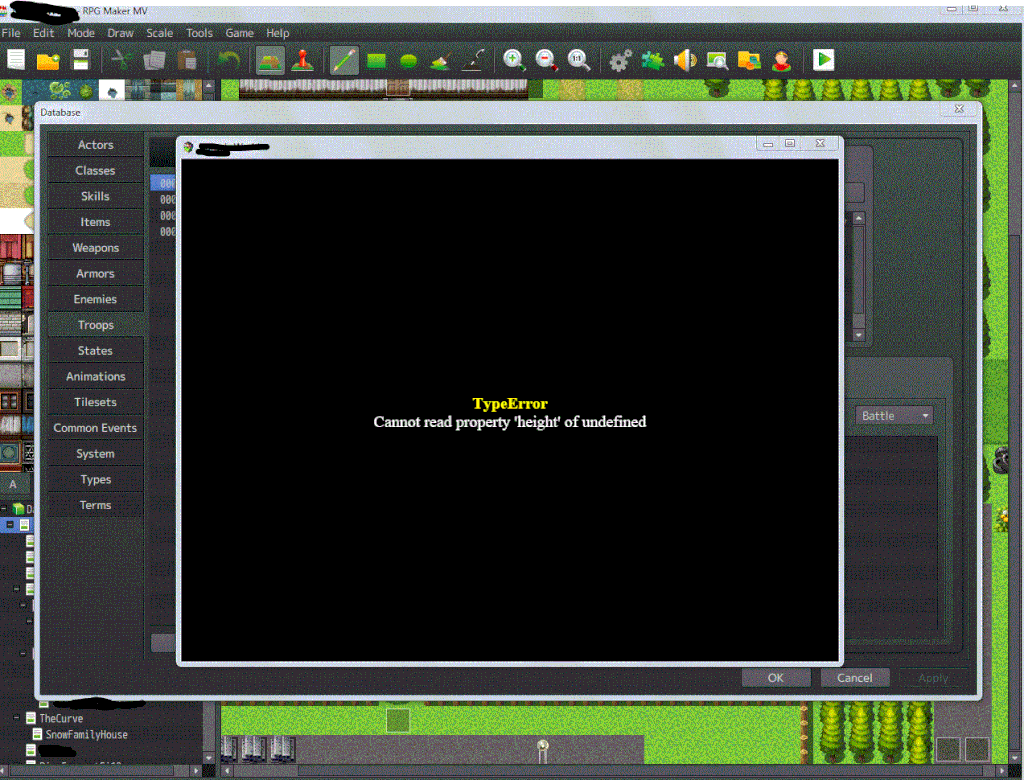
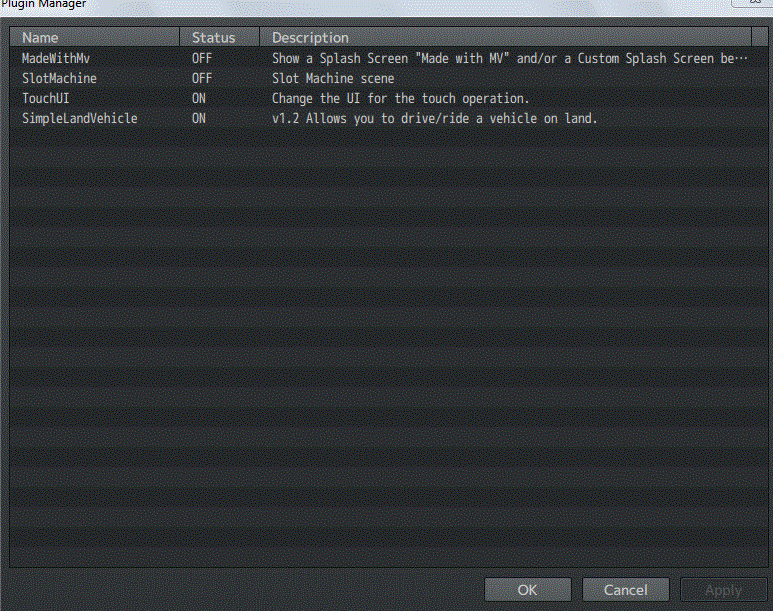
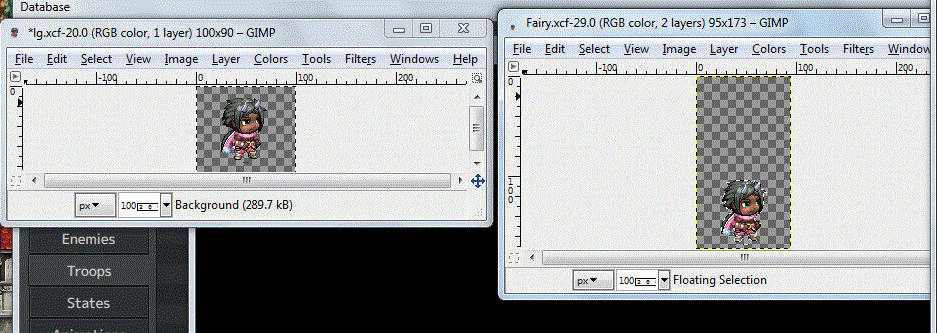
As far as plugins go this project is mostly vanilla. The only plugins I have is simple land vehicles and touch ui enabled.
I included screenshots that may help illustrate the issue.

Hi I do not understand what you mean.you're saying you are having errors with Putting monsters into You're game if that is what you mean you may need to copy and past the monster you are trying to put into the game on a Coped monster from rpg maker mv and put it into the game make sure the defult monster is a blank piece of paper. the other thing I thing you mean is how to use a battle sprit for A Battler. and that maybe the same way as a defult monster top text.
I tried creating it as a new monster and pasting it into an existing monster thinking maybe there was an expected height requirement I wasn't aware of. Both times I got the same error.
Yes I am trying to use this as a battler. Oh and to clarify the error happens as soon as battle starts. I am scrapping all the original monsters and making custom made ones and this is my first enemy.
Yes I am trying to use this as a battler. Oh and to clarify the error happens as soon as battle starts. I am scrapping all the original monsters and making custom made ones and this is my first enemy.
Ok I just put the battlers sprite in game all I did was put it in the enemies Try This Link https://www.youtube.com/watch?v=hDAuXRfeoAQ
I am not suppose to set transparency?
*Edit*
I dont have an issue if its a character but if its an enemy that is when the problems come up.
I wish enemies used the same system as characters in the party use.
*Edit*
I dont have an issue if its a character but if its an enemy that is when the problems come up.
I wish enemies used the same system as characters in the party use.

The error will relate to how you're adding the enemy graphic which you haven't shown us in the screenshots above.
Based on the wording of the error it appears to be failing to find the image and thinking that it has an enemy with no image - transparency should be irrelevant.
Based on the wording of the error it appears to be failing to find the image and thinking that it has an enemy with no image - transparency should be irrelevant.
author=Bu3dI have send you a link to help you look up on page. Sorry I took the link
I am not suppose to set transparency?
*Edit*
I dont have an issue if its a character but if its an enemy that is when the problems come up.
I wish enemies used the same system as characters in the party use.
Of because I do not want to get band sorry. Ok she say it was ok so I put it back
author=Rhuan
The error will relate to how you're adding the enemy graphic which you haven't shown us in the screenshots above.
Based on the wording of the error it appears to be failing to find the image and thinking that it has an enemy with no image - transparency should be irrelevant.
I saved it in the project's sv_enemies folder and in the enemies folder as a PNG file.
It is found in the editor but once I test battle or play and go into battle I get the error.
Bu3d I just send you a link to help it is a you tub video look up on the page please. It is in blue writing.This One What if I help you with you're game
author=redwall10
Bu3d I just send you a link to help it is a you tub video look up on the page please. It is in blue writing.
I watched the video and even some other videos of the engine/plugins and havent seen anything in there that would make adding custom enemy sprites any easier. It does look nice though.
You got me thinking though. I think its bonkers that a plugin be needed at all for what should be such an easy drag and drop task. However I cant change how this is functioning natively. So I am going to try yanfly plugins to fix this. I really thought I could make this by staying mostly vanilla. The reason I didn't want to use plugins (specifically Yanfly's) is not because they are bad but because its like Pandora's box. His plugin's are so desirable its hard to stop at just one or two.
I will update this if it works.
*EDIT*
No luck it just makes it so the engine doesn't find the original file.

author=BlackWolf1992
Well, Yanfly is like the god of RM Scripts. In every Ace project I use his scripts.
I have been watching his scripts for a long time as I learned how to use RPG maker well before I got it. I am sure its something I am doing wrong. I have watched the videos over and over and checked a lot of forum threads and I havent a clue what it is yet.
Pages:
1

