



 Full Games List
 Featured Games
 New Games
 Reviews
 Media
Media Images
 Blogs
Blogs Game Updates
 Images Feedback Summary
 Game Design Highlights
 Tutorials
 Articles
 Scripts
 Utilities / Plugins
 Resources
 Engines
 Engine Bulletins
 What is Makerscore?
 Past Events
 Achievements
 Misaos
 Forums
 Post History
 Chat
Chat New to RMN?
 Full Store List
 RMN Music Pack (free)



GHOST EFFECT SHADER - SHADER MODEL 2.0
Posts
Pages:
1

 WolfCoder
 View playlists
 Close
Close
I was writing shaders just for fun and practice, and I came up with this ghost shader. It works by making surfaces that face the camera harder to see and ones that are tilted away visible. This produces an effect that makes the parts of the test model (the model came with the engine) that you're looking directly at invisible.
I'm not sure when I'll ever need to have a ghost but I guess I'll have the shader for it. Linear algebra makes my head hurt.
Oh yeah and if you want it here's the (GPL licensed) code written in HLSL:
// Ghost Shader

// written by WolfCoder (2010)

// Shades the model in this errie outlined-only foggy emissive monochrome color effect


// Color of the ghost effect itself

static const float4 ghost_color = {1.0f,1.0f,1.0f,1.0f};

static const float ghost_level = 1.0f;


// From engine

const float4x4 matWorldViewProj; // World projection

const float4x4 matWorld; // World position

const float4 vecViewPos; // View position


// Texture of model

texture entSkin1;

sampler ghost_sampler = sampler_state

{

	Texture = <entSkin1>;

	MipFilter = Linear; // allow mipmapping

};


// Vertex shader

void ghost_vs(in float4 ipos : POSITION,

              in float3 inor : NORMAL,

              in float2 itex : TEXCOORD0,

              out float4 opos : POSITION,

              out float2 otex : TEXCOORD0,

              out float3 onor : TEXCOORD1,

              out float3 ovew : TEXCOORD2)

{

	// Transform local to global vertex

	opos = mul(ipos,matWorldViewProj);

	// Get normals

	onor = normalize(mul(inor,matWorld));

	// Get view

	ovew = vecViewPos-mul(ipos,matWorld);

	// Pass tex coords for no change

	otex = itex;

}


// Pixel shader

float4 ghost_ps(in float2 itex : TEXCOORD0,

                in float3 inor : TEXCOORD1,

                in float3 ivew : TEXCOORD2) : COLOR

{

	// Find out the power of the effect

	float ghs = normalize(2*dot(inor,-ivew)*inor+ivew)*ghost_level;

	// Get the texture color

	float4 col = tex2D(ghost_sampler,itex);

	// Desaturate it

	float avg = (col.r+col.g+col.b)/3.0f;

	col.r = avg;

	col.g = avg;

	col.b = avg;

	// Return the result

	return col*ghs*2;

}


// Technique

technique ghost_tech_1

{

	pass P0

	{

		VertexShader = compile vs_2_0 ghost_vs();

		PixelShader = compile ps_2_0 ghost_ps();

	}

}

I was just expecting some lame motion blur but this is much cooler :p Just some minor occlusion artifacts that off the top of my head might be cleared up by depth sorting the "ghost"'s polys before rendering
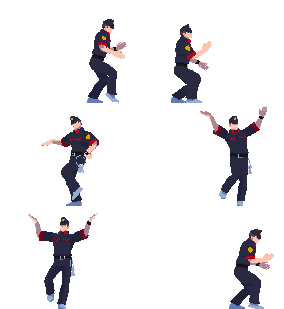
Honestly, if I saw this in a game, I'd think it's glitching. Now I'm sure it's amazing on a technical level, but it looks really rough and choppy. Maybe instead of parts being invisible, they can be more transparent? I dunno, but it just looks weird to me.

I also accidentally found out how to do basic chrome mapping too when trying to improve the ghost effect. The engine I'm using doesn't sort transparent polys very well.
Maybe instead of parts being invisible, they can be more transparent? I dunno, but it just looks weird to me.
It's supposed to look weird. I was thinking of having the texture undulate around by applying a water effect on top. I just didn't want to cheap out and just do refraction like you see in so many games.
Pages:
1

