



 Full Games List
 Featured Games
 New Games
 Reviews
 Images
 Blogs
Blogs Game Updates
 Images Feedback Summary
 Game Design Highlights
 Tutorials
 Articles
 Scripts
 Utilities / Plugins
 Resources
 Engines
 Engine Bulletins
 What is Makerscore?
 Past Events
 Achievements
 Forums
 Post History
 Chat
Chat New to RMN?
 Full Store List
 RMN Music Pack (free)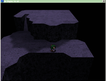

0 reviews
 Add Review
 Subscribe
 Nominate
 Submit Media
 RSS
RSS
Event movement system added + Question for you
 WolfCoder
- 07/06/2010 11:23 PM
- 1958 views

Skip to the bottom if you just want to answer a question I have:
Changes
I've added the much needed system that moves events. Events in WeaponBirth move according to a queue of move commands just like in RPG Maker except you specify them individually and they just get queued up.
The kitty in the screenshot is running the following script:
// WeaponBirth Test NPCs


// This NPC remembers the player

test_kitty_npc:


1.parallel

	// Spiiiin!

	move_face(#right);

	move_face(#down);

	move_face(#left);

	move_face(#up);
This causes the NPC to spin like the Tasmanian Devil very fast (turn 90 degrees every frame). The script halts at the end of the page (right after facing up) for all the move commands to finish. If it didn't, the move queue will continue to grow until my program is refused additional heap space (overflow). This allows you to make an event that repeats moves over and over.
If you're making something complicated such as an event doing errands or a cutscene with lots of movement, I'm allowing events to autobuild a movement queue based on paths (which you can make in WED, the map editor). This way you can just signal an event to walk the path to its end, or to walk a circular path in a loop. You cannot jump when exploring on the map unless an event makes you just like RPG Maker. It would be nice if events understand that if a path node is above them on a ledge that they should try jumping to reach the node, but I'm not expecting that much out of my own engine.
I'm going to add events that allow you to jump over edges at the press of the examine key just like in Grandia, if it's needed in the maps.
Question about the camera
I'm thinking of allowing the player to rotate the camera about themselves. Here's the benefits and problems:
+ Allows the player to explore better, just like in the first Grandia.
+ Can help solve obscuring by allowing the player to get a better view.
- Drawing characters as they face 45 degree increments is hard, and the sprites may look worse as they can only face 90 degree directions. This either reduces visual quality, or adds much production time to map sprites.
- The player will fight the camera (inevitable) and I'll have to fiddle with the compass and try not to disorient the player.
What do you think?
Posts 

Pages:
1
 View playlists
 Close
Close
Yeah, I've always preferred a fixed camera angle or, failing that, 4 isometric angles along the Z axis... :-)

BOF3 did the isometric-yet-it-was-actually-3d-anyway look. I'm actually thinking of some sort of Bomberman Hero system (Kirby 64 did this too) where the camera could change to pan over the map in a pre-determined fashion to give you the best view. Final Fantasy X did that, but I remember it was a little annoying in that game for some reason.
I don't remember it being annoying in FFX except when they went "EXTREME LONGSHOT!" all of a sudden.

I'd probably prefer a fixed camera angle myself. Fighting the camera is never fun.
If you do setup some sort of fixed camera angle, maybe you could code up some system for making objects that are currently completely covering the PC's sprite partially transparent?
If you do setup some sort of fixed camera angle, maybe you could code up some system for making objects that are currently completely covering the PC's sprite partially transparent?
Fixed camera is the default, I'm actually going to make maps designed so there won't be too much obscuring the player.

Pages:
1

