



 Full Games List
 Featured Games
 New Games
 Reviews
 Media
Media Blogs
Blogs Game Updates
 Images Feedback Summary
 Game Design Highlights
 Tutorials
 Articles
 Scripts
 Utilities / Plugins
 Resources
 Engines
 Engine Bulletins
 What is Makerscore?
 Past Events
 Achievements
 Misaos
 Forums
 Chat
Chat New to RMN?
 Full Store List
 RMN Music Pack (free)



 Profile
 Locker
 Play Lists
DSWALTON'S PROFILE
DSWalton
1104
 Close
Close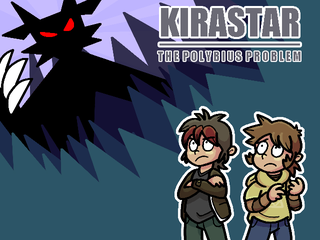
KiraStar: The Polybius P...
Two boys get caught up in a series of events involving the KiraStar! A tale of adventure, friendship and growing up (with a dash of humor).
Two boys get caught up in a series of events involving the KiraStar! A tale of adventure, friendship and growing up (with a dash of humor).
Search
Filter
 All
All Game Pages
 User Statuses
 kirastar_cast_1.png
author=wildwes
Coolio! Is Dan a Zelda fan? If so, even more Coolio!
He's a huge Zelda fan (just like myself). :)
kirastar_cast_1.png
Here's a bunch of character doodles (along with their in game sprite).
From left to right:
• Our heroes, Jack & Dan. They're always getting into mischief!
• Mr. Shake, manager of the Burger Queen restaurant. He's always yelling at Gerald.
• Gerald, a lowly employee of the Burger Queen. He really doesn't care.
From left to right:
• Our heroes, Jack & Dan. They're always getting into mischief!
• Mr. Shake, manager of the Burger Queen restaurant. He's always yelling at Gerald.
• Gerald, a lowly employee of the Burger Queen. He really doesn't care.
eliza_and_adam.png
author=Clareain_Christopher
Drawing npcs is a great way to get in touch with their character.
How long will those two be relevant in the game?
For the most part, they're just around. Some of them will be involved in key events and storyline during certain parts of the game.
eliza_and_adam.png
Currently working on the local fast food restaurant, The Burger Queen, and here are a couple of characters you can find there!
Eliza works at the Burger Queen as a waitress. She's pretty friendly, but will often complain about working when she'd rather be at The Crypt (the local rock club), checking out some new bands.
Adam has a bit of a weight problem, probably because he's always eating at the Burger Queen. He's fairly quiet, admiring Eliza from afar whilst he scoffs down yet another burger or two.
I've started changing the way I'm drawing the characters. I've made my brushes in Photoshop appear more "spritish", as the game will be featuring some cutscenes which use pictures, and I want a fairly consistent sprite look throughout.
Eliza works at the Burger Queen as a waitress. She's pretty friendly, but will often complain about working when she'd rather be at The Crypt (the local rock club), checking out some new bands.
Adam has a bit of a weight problem, probably because he's always eating at the Burger Queen. He's fairly quiet, admiring Eliza from afar whilst he scoffs down yet another burger or two.
I've started changing the way I'm drawing the characters. I've made my brushes in Photoshop appear more "spritish", as the game will be featuring some cutscenes which use pictures, and I want a fairly consistent sprite look throughout.
ks_screen_1.png
author=udivision
I wonder if it's a bit to zoomed out? It just seems like there's too much space in the window.
We kind of felt that way with our Mario game on RMXP, so we ended up making everything 1.5x larger. Especially since your game looks somewhat like Mother 3/Pokemon Gen 3 (both of which were on the small screened GBA) it comes off as little jarring.
But I guess that doesn't really matter, heh.
A strange observation to make, but there is some truth in there I suppose. I have tried in the past to use larger sprites (especially when I've tinkered around with hand drawn tiles).
I suppose I could change the screen resolution to 320x240, but that would be rubbish to play on a PC. :P
 [Help] [RPG Maker XP] Changing a Battler's sprite when damaged.
author=JosephSeraph
I wish I could help you, but I know very little about scripting. But then again, why don't you try to ask Blizzard himself? He is seemingly rather present at the Chaos Project forums, so it's a solid means to contact him, and this sincerely looks like a very simple edit of the Animated Battlers script!
To tell the truth this is the best way because it's likely that he'll make it available in the next edition if you ask and it will be there for public usage.
Oh, and those sprites look really sexy <3 <3 <3
Thank you very much for the reply. I'll send him a message, fingers crossed he'll be able to help.
Also thank you for the kind compliment on my sprites. I'm very pleased with them.
If I get an answer, I'll post it here for others to use too. :)
[Help] [RPG Maker XP] Changing a Battler's sprite when damaged.
Good evening all.
This request is script related to RPG Maker XP.
I'm currently looking for a way to change a Battler's sprite when they've taken damage (either from an attack, skill or item).
As an example, this is what an enemy would normally look like (these are animated, using the Animated Battlers script found within Tons-of-Addons: link).

Then, when the enemy takes damage (as the little damage numbers pop up over it's head, or when it actually dies), it would change to this for a few frames, before returning to normal:

The sprite doesn't need to change if the Battler is healing, just when it actually takes damage.
I've had a look around on the ol' Google, and haven't been successful in my search. I've found plenty of fully fledged Animated Battling scripts, but they are mainly designed for custom battle systems, and I'm currently using the default one (if it ain't broke, don't fix it I say).
Any help would be greatly appreciated, whether it's an actual script, or just an edit to one of the built in scripts.
Thanks in advance, hope I've provided enough information.
This request is script related to RPG Maker XP.
I'm currently looking for a way to change a Battler's sprite when they've taken damage (either from an attack, skill or item).
As an example, this is what an enemy would normally look like (these are animated, using the Animated Battlers script found within Tons-of-Addons: link).
Then, when the enemy takes damage (as the little damage numbers pop up over it's head, or when it actually dies), it would change to this for a few frames, before returning to normal:
The sprite doesn't need to change if the Battler is healing, just when it actually takes damage.
I've had a look around on the ol' Google, and haven't been successful in my search. I've found plenty of fully fledged Animated Battling scripts, but they are mainly designed for custom battle systems, and I'm currently using the default one (if it ain't broke, don't fix it I say).
Any help would be greatly appreciated, whether it's an actual script, or just an edit to one of the built in scripts.
Thanks in advance, hope I've provided enough information.
lara_nathan_and_the_twins.png
author=Dyhalto
Are the twins holding hands or fist pounding?
A little of column A, a little of column B. :3
 KiraStar: The Polybius Problem
author=bigtime
So when can we expect the next demo?
I'm planning to have a demo done by the end of March, early April time.
ben_and_phil.png
One of the things I'm going to be doing with KiraStar is to try and make a city filled with actual people, rather than just NPCs. They won't exactly be deep characters, but they'll have personality and quirks.
I figured the easiest way to go about this was to draw each individual character before spriting them.
Meet Phil (left) and Ben (right), the owners of the local hardware store (basically the weapon shop). They're both pretty miserable.
The slogan for their store is "It's clobbering time!". Do you guys get the reference for each character? :3
I figured the easiest way to go about this was to draw each individual character before spriting them.
Meet Phil (left) and Ben (right), the owners of the local hardware store (basically the weapon shop). They're both pretty miserable.
The slogan for their store is "It's clobbering time!". Do you guys get the reference for each character? :3
 Games - Tester
 Games - Other
