Full Games List
 Featured Games
 New Games
 Reviews
 Media
Media Images
 Blogs
Blogs Game Updates
 Images Feedback Summary
 Game Design Highlights
 Tutorials
 Articles
 Scripts
 Utilities / Plugins
 Resources
 Engines
 Engine Bulletins
 What is Makerscore?
 Past Events
 Achievements
 Misaos
 Forums
 Post History
 Chat
Chat New to RMN?
 Full Store List
 RMN Music Pack (free)



THE SCREENSHOT TOPIC RETURNS
Posts
 TheNecromancer
 View playlists
 Close
Closethat thing to the right of the door. it may not be pure pink, but it does have a pinkish-orange hue.




Any thoughts on the crypt/mortuary so far? I've still a few things to add like incense, some dead bodies (with skin) and instruments, but as it stands the layout is complete. Ideas?
It looks sufficiently creepy. How about some spider webs or something as well, just to make it feel REALLY dead? Or even urns, because video games love to throw urns into places that have bones.

urns actually make a lot of sense here, where else are you gonna put those entrails
my only issue is the tint. your blue-haired party looks awful with it. i suggest making a new tileset that's recolored and then using a general darkness tint (all even colors, not red-heavy).
my only issue is the tint. your blue-haired party looks awful with it. i suggest making a new tileset that's recolored and then using a general darkness tint (all even colors, not red-heavy).
LockeZ

I'd really like to get rid of LockeZ. His play style is way too unpredictable. He's always like this too. If he ran a country, he'd just kill and imprison people at random until crime stopped.
5958
That is a really pink crypt
Is it like... a crypt for the bodies of little girls, or a crypt for breast cancer victims to raise awareness of the disease, or what
Is it like... a crypt for the bodies of little girls, or a crypt for breast cancer victims to raise awareness of the disease, or what
author=chanaI guy by himself in a closed jail cell without windows, you just don't ask questions about stuff you see in the walls.
Very nice map, what is the pink thing on the wall?
It looks like either a
a) Crypt for aliens, where the humans are visiting
or
b) Crypt for humans, where the aliens are visiting.
Judging by the skeletons and the party members, that is.
a) Crypt for aliens, where the humans are visiting
or
b) Crypt for humans, where the aliens are visiting.
Judging by the skeletons and the party members, that is.

author=Liberty
Any thoughts on the crypt/mortuary so far? I've still a few things to add like incense, some dead bodies (with skin) and instruments, but as it stands the layout is complete. Ideas?
I feel like it could really benefit from having some better lighting situations going on there instead of just dimming the screen.

That tint was just in place from another map. ^.^;
There will be urns (and webs~), but they'll be in the top room, sitting on the small shelves since cremation is the best way to dispose of bodies in a land where the soil is hard and packed. The pink is because of the local rock mined in the area. (Though it's more a brown-pink. The tint is screwing with it a bit.)
The farther you go into the crypt, the more dusty and dank it will get, but at the front it's well-cared for (you can just see a hint of the caretaker's personal room in the second shot.)
Thanks though. I'll definitely look into better lighting and more items. (I hadn't thought of what to put the innards in ^.^ )
There will be urns (and webs~), but they'll be in the top room, sitting on the small shelves since cremation is the best way to dispose of bodies in a land where the soil is hard and packed. The pink is because of the local rock mined in the area. (Though it's more a brown-pink. The tint is screwing with it a bit.)
The farther you go into the crypt, the more dusty and dank it will get, but at the front it's well-cared for (you can just see a hint of the caretaker's personal room in the second shot.)
Thanks though. I'll definitely look into better lighting and more items. (I hadn't thought of what to put the innards in ^.^ )


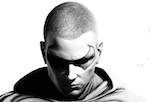
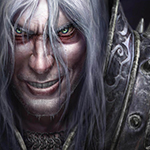
Do you guys think those tiny white dots around the characters really noticeable ? I just can't get rid of them for some reason.
No, not that box. I meant the white dots around the characters' faces. :P
I already made them transparent, but those dots still show up in the game for some reason. If they aren't much of an issue, I could let it slides.
I already made them transparent, but those dots still show up in the game for some reason. If they aren't much of an issue, I could let it slides.
LockeZ
I'd really like to get rid of LockeZ. His play style is way too unpredictable. He's always like this too. If he ran a country, he'd just kill and imprison people at random until crime stopped.
5958
- Open portrait pic in photoshop
- Make sure color mode is set to RGB. If it's set to indexed, this won't work.
- Choose "magic wand" selection tool
- In the bar near the top of the screen, where you have some options for adjusting the behavior of the magic wand tool, make sure "anti-alias" is checked, "contiguous" is not checked, and "tolerance" is set to 0.
- Left-click in the transparent background to select it.
- Press the delete key on your keyboard. Because of the anti-alias setting, the white jaggy border will be made semitransparent. (If it asks you something weird about background colors, change the color mode to something else and then back to RGB.)
- Click somewhere else to select none. Save the image.
- If the white jaggy border is still visible in the game, repeat all steps until it's not any more (This will probably take about 2-3 times).
Also, unrelated: your second pic is noticably stretched out horizontally. Please resize it so that it has the correct proportions. That distortion is really raunchy.
- Make sure color mode is set to RGB. If it's set to indexed, this won't work.
- Choose "magic wand" selection tool
- In the bar near the top of the screen, where you have some options for adjusting the behavior of the magic wand tool, make sure "anti-alias" is checked, "contiguous" is not checked, and "tolerance" is set to 0.
- Left-click in the transparent background to select it.
- Press the delete key on your keyboard. Because of the anti-alias setting, the white jaggy border will be made semitransparent. (If it asks you something weird about background colors, change the color mode to something else and then back to RGB.)
- Click somewhere else to select none. Save the image.
- If the white jaggy border is still visible in the game, repeat all steps until it's not any more (This will probably take about 2-3 times).
Also, unrelated: your second pic is noticably stretched out horizontally. Please resize it so that it has the correct proportions. That distortion is really raunchy.
I don't have Photoshop, so I used Fireworks. There wasn't an option to check "contiguous", but I did set the tolerance to 0 and change the edge to Anti-alias.
But, when I left-clicked the picture, the wand looks like this

I already set the color mode to RGB. I tried many other ways, but the results were still the same.
But, when I left-clicked the picture, the wand looks like this
I already set the color mode to RGB. I tried many other ways, but the results were still the same.

It's doing that because the tolerance is too low.
That "white" background is actually many shades of almost-white. Tolerance set to 0 will only pick up one specific shade. I have a feeling your source image is a JPG, that's probably part of the problem.
The higher the tolerance the less it "cares" about minor differences between colours. You can try fiddling with the tolerance until it gets all the white pixels but leaves the edges of the characters relatively unscathed, it might take some messing around but that should do it.
That "white" background is actually many shades of almost-white. Tolerance set to 0 will only pick up one specific shade. I have a feeling your source image is a JPG, that's probably part of the problem.
The higher the tolerance the less it "cares" about minor differences between colours. You can try fiddling with the tolerance until it gets all the white pixels but leaves the edges of the characters relatively unscathed, it might take some messing around but that should do it.
Nope, the original picture is a PNG one. I also tried to turn up the tolerance, but it doesn't get rid of the white background completely.
Then I'd say to try putting the tolerance up to a point where it starts to also select parts of the character, and then move the tolerance back one point at a time (which might be a little tedious) until it is just about hugging the outline. If you're only left with a couple white pixels you could always manually erase/delete them.