



 Full Games List
 Featured Games
 New Games
 Reviews
 Images
 Blogs
Blogs Game Updates
 Images Feedback Summary
 Game Design Highlights
 Tutorials
 Articles
 Scripts
 Utilities / Plugins
 Resources
 Engines
 Engine Bulletins
 What is Makerscore?
 Past Events
 Achievements
 Forums
 Post History
 Chat
Chat New to RMN?
 Full Store List
 RMN Music Pack (free)

0 reviews
 Add Review
 Subscribe
 Nominate
 Submit Media
 RSS
RSS
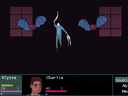
Kissed By A Star is a turn-based RPG with heavy novel elements. Traverse through several rapidly-paced chapters featuring a cycling cast of point of views. From fighting monstrosities in a smog filled forest, to lazing about on a passenger train. You never know where the journey will take you.
The Fall
In a world that was seemingly thriving. The Sun's light grew dim. Civilization as they knew it fell into a new era. A time where evil reemerges, evil long forgotten. Not only must people fight this forgotten evil. They must learn to coexist with it.
All roads lead to the City of a New Future: Brigitte Bay. Where a new normality is established, where one can live their life in peace, or a place to gather for the fight to regain what they lost.
However, reaching the city is easier said than done...
Features
-Full length turn-based RPG
-A huge cast of characters
-A detailed modern fantasy world, full of mystery and ominous occurrences
-Light RPG elements that make it easy to jump into a chapter at anytime and not feel overwhelmed.
-original FM Synth inspired soundtrack
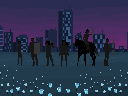
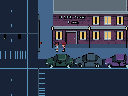
-charming cartoon styled pixel art
-elaborate Glossary
-LGBTQ+ friendly
Warning: There are depictions of violence, such as pixel art blood in a cartoon style.
Latest Blog
 zDS
zDS



 Commercial
 RPG Maker MV
Posts 

Pages:
1

 View playlists
 Close
Close







Pages:
1

