



 Full Games List
 Featured Games
 New Games
 Reviews
 Media
Media Game Updates
 Images Feedback Summary
 Game Design Highlights
 Tutorials
 Articles
 Scripts
 Utilities / Plugins
 Resources
 Engines
 Engine Bulletins
 What is Makerscore?
 Past Events
 Achievements
 Misaos
 Forums
 Chat
Chat New to RMN?
 Full Store List
 RMN Music Pack (free)



 Profile
 Locker
 Play Lists
DEZZ'S PROFILE
Dezz

1252
 Close
Close
Hey.
I'm Dezz.
Yeah.
But seriously; I'm Dezz. I've been using RPG Maker since 2007, starting with XP but quickly changing to VX. If you want a map making, send me a PM and I'll try and help.
Thanks!
I'm Dezz.
Yeah.
But seriously; I'm Dezz. I've been using RPG Maker since 2007, starting with XP but quickly changing to VX. If you want a map making, send me a PM and I'll try and help.
Thanks!

Search
Filter
 All
All Game Pages
 User Statuses
 SO_MANY.jpg
Why not just make an event on the top and bottom of the ladder which has a Set Move Route function causing the player to move up to the top or down to the bottom of the ladder instead? It seems much easier to do that and less lagging.
 Pretty awesome stuff.
I was planning on doing that at first, however it'd mean to use all of the graphics from the Samurai Add-on alone, as they just clash with all the other graphics. I wanted to use the Faces and Battlers, but the Faces match a specific character sprite perfectly so it made sense to use the sprites too, though the sprites don't match the general RTP/Mack/etc.-styled graphics and only seem to suit the Samurai Add-on graphics.
 RMN Battledome! Round One!
I'd join this, but 1) I think it's too late, 2) I suck at drawing and 3) Goddamn I wouldn't stand a chance compared to some of these kickass drawings...
Ridiculous Restart
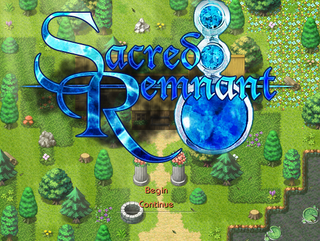
Title Screen (again...)
prexus
did this with a different image
That may be why it looks different.
I prefer Prexus's by far, as the font looks way better when suited with the image.
The only thing I'd suggest would be to keep the image that you (Adon) provided but take the text Prexus made and just enlarge it a little.
Ridiculous Restart
Ahh, I had that problem before.
If you replace the .data files of the ones with the problem with the defaults you will only lose out on the actual data of the .data files rather than losing all of the game. At least then you don't have to start right from scratch again.
If you replace the .data files of the ones with the problem with the defaults you will only lose out on the actual data of the .data files rather than losing all of the game. At least then you don't have to start right from scratch again.
Ridiculous Restart
What was the error you received?
Did you get the error of;
'Unexpected File Format'?
If so, you can solve that problem by opening up the Game.ini file in the game directory, right clicking, selecting 'Select All' and type RPGVX 1.02 instead, then save the file and it will work once again.
Did you get the error of;
'Unexpected File Format'?
If so, you can solve that problem by opening up the Game.ini file in the game directory, right clicking, selecting 'Select All' and type RPGVX 1.02 instead, then save the file and it will work once again.
 Games - Tester
 Games - Other
