



 Full Games List
 Featured Games
 New Games
 Reviews
 Media
Media Images
 Blogs
Blogs Game Updates
 Images Feedback Summary
 Game Design Highlights
 Tutorials
 Articles
 Scripts
 Utilities / Plugins
 Resources
 Engines
 Engine Bulletins
 What is Makerscore?
 Past Events
 Achievements
 Misaos
 Forums
 Chat
Chat New to RMN?
 Full Store List
 RMN Music Pack (free)



 Profile
 Locker
 Play Lists
EZEKIELRAGE'S PROFILE
EzekielRage
191
 Close
Close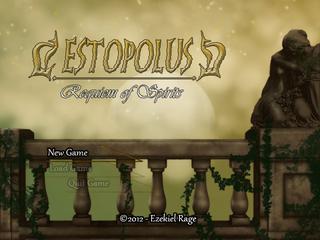
Estopolus: Requiem of Sp...
Welcome to Estopolus. This is your land, your journey and your destiny! A fantasy tale of courage and love, told through a not so classic RPG...
Welcome to Estopolus. This is your land, your journey and your destiny! A fantasy tale of courage and love, told through a not so classic RPG...
Search
Filter
 All
All Game Pages
 User Statuses
 Looking for writer/story to collaborate with on "Graphic Novel" idea (either for new game or current)
drop me a PM or an e-mail and we talk. if you are interested in my work, check out www.void-comics.com and www.ezekiel-rage.com to see my comics and my portfolio :)
Creating a Patch for a game in RPGMaker VX
you HAVE to create a new download. however depending on your recoures you dont ahve to provide a full download.
I for one patch my game A LOT and always provide a full download. my downlaods are mostly backwards compatible with save files so that the player can continue from the previous version :)
I for one patch my game A LOT and always provide a full download. my downlaods are mostly backwards compatible with save files so that the player can continue from the previous version :)
Post your Music
I make a lot of music but i guess this one here is the most representative:
http://www.facebook.com/BeyondRage/app_178091127385
http://www.facebook.com/BeyondRage/app_178091127385
Help with mapping.
I guess the main problem is that the maps are just not good. But dont worry this is easily fixed. You are a beginner and there is no problem with that :)
Picture 1:
The height of the entire map is compeltely random. Things are too high while others are not high enough. The scale is just off. The front wall of the house is 4 tiles high while the backwall is only two tiles high. You only used the same plants on the entire map. Two trees, one flower, some vegetables and some grass.
Try to put the map to a unified scale and add more variety in your plants and trees.
Picture 2:
The entire layout mkaes no sense, but that is not the main problem. The problem here is that the item placement makes no sense either. Move the beds up one tile, same for the chimney and all the furniture by the wall. window and chimney placement should make sense, not just be random. Imagine what it would feel like living in a claustrophobic and chaotic place like this, where you can't even access the second half of the double bed.
Picture 3:
The room layout is boring. The rocks are just randomly placed even inside the lava which just does not work. everything is flat, there is no depth or height anywere.
Picture 4:
the furniture is higher than the walls, so are all the boxes. the items are just randomly placed, so it makes no sense to have them where they are now. there is a wall tile missing on the top where the wooden ceiling is.
Picture 5:
pretty much everything about this picture has already been said.
Picture 6:
Locke is right (as he is more often than not) the canopy of the treeline is just too narrow. The trees are shorter/smaller than the tent resulting in another failed scaling. There are tree tiles missing and some are incomplete at the stem. you used the same boring plant all over the map again, brig some variety in.
I hope this helps :)
Picture 1:
The height of the entire map is compeltely random. Things are too high while others are not high enough. The scale is just off. The front wall of the house is 4 tiles high while the backwall is only two tiles high. You only used the same plants on the entire map. Two trees, one flower, some vegetables and some grass.
Try to put the map to a unified scale and add more variety in your plants and trees.
Picture 2:
The entire layout mkaes no sense, but that is not the main problem. The problem here is that the item placement makes no sense either. Move the beds up one tile, same for the chimney and all the furniture by the wall. window and chimney placement should make sense, not just be random. Imagine what it would feel like living in a claustrophobic and chaotic place like this, where you can't even access the second half of the double bed.
Picture 3:
The room layout is boring. The rocks are just randomly placed even inside the lava which just does not work. everything is flat, there is no depth or height anywere.
Picture 4:
the furniture is higher than the walls, so are all the boxes. the items are just randomly placed, so it makes no sense to have them where they are now. there is a wall tile missing on the top where the wooden ceiling is.
Picture 5:
pretty much everything about this picture has already been said.
Picture 6:
Locke is right (as he is more often than not) the canopy of the treeline is just too narrow. The trees are shorter/smaller than the tent resulting in another failed scaling. There are tree tiles missing and some are incomplete at the stem. you used the same boring plant all over the map again, brig some variety in.
I hope this helps :)
 Estopolus: Requiem of Spirits
Display a Variable during Battle
so hre is the thing:
i would need to show a variable during the game on teh upper right corner. basically because i have an item tht can and should be obtained multiple times and i need that item to be seen at all times, especially during battle.
so i attached thatitem to a variable to read how many of those items i have, basics. i know about the \v but i need that item display to be dynamic. i found a script that displays the variable number during gameplay and that is fine but I would need one that displays it during the game AND during the battles.
i attached the script here in case you can use it for this.
thanx :)
i would need to show a variable during the game on teh upper right corner. basically because i have an item tht can and should be obtained multiple times and i need that item to be seen at all times, especially during battle.
so i attached thatitem to a variable to read how many of those items i have, basics. i know about the \v but i need that item display to be dynamic. i found a script that displays the variable number during gameplay and that is fine but I would need one that displays it during the game AND during the battles.
i attached the script here in case you can use it for this.
thanx :)
#===============================================================================

# Variable Window Snippet

# By Jet10985

# Help by: Piejamas, BigEd781, Mithran

#===============================================================================

# This snippet will allow you to show 1 variable in a window at the top-right

# of the screen. Edited by Liberty. XP

#===============================================================================


module VarWindow


  VAR_NAME_1 = "Score:" # The name for the 1st variable shown. You can change it

  #to anything you want, but keep the name inside the quotation marks or it won't

  #work.


  VARIABLE_1 = 1 # Variable shown for VAR_NAME_1


  ALLOW_TRIGGER = false # Let the player hide the window by pressing a button? if

  #you do want for the player to be able to toggle the score on/off then set this

  #to true instead.


  HIDE_WINDOW_BUTTON = Input::CTRL # If true, what button? You can change what

  #button you want to use to toggle the score to be hidden.


  SWITCH_TO_SHOW = 5 # This is the switch that needs to be on to show the window.

  #Just change the number to match the corresponding switch.


  OPACITY = 0 # This is how transperant the window is. 0 is fully transperant.

  #If you want it partly transparent try about 160 or so. 250 is fully opaque.


end


#===============================================================================

# DON'T EDIT FURTHER UNLESS YOU KNOW WHAT TO DO.

#===============================================================================

class Window_Variable < Window_Base


  include VarWindow

#the line with the numbers are the positions. Number 1 is X (across),

#number 2 is Y (up/down). The other two mess with the box itself, the first

#beign width and the next being height.

  def initialize

    super(400, 0, 145, 60)

    self.opacity = OPACITY

    self.visible = false

    refresh

  end


  def refresh

    self.contents.clear

    self.contents.draw_text(0, 0, 222, WLH, VAR_NAME_1 + " " + @var_one.to_s)

  end


  def update

    if @var_one != $game_variables[VARIABLE_1] |

      @var_one = $game_variables[VARIABLE_1]

      refresh

    end

  end

end


class Scene_Map


  include VarWindow


  alias jet5830_start start unless $@

  def start

    jet5830_start

    @var_window = Window_Variable.new

    @var_1 = $game_variables[VARIABLE_1]

    @first_switch = false

  end


  alias jet5839_update update unless $@

  def update

    jet5839_update

    @var_window.update

    variable_update

  end


  alias jet5299_terminate terminate unless $@

  def terminate

    @var_window.dispose

    jet5299_terminate

  end


  def variable_update

    if @first_switch == false and $game_switches[SWITCH_TO_SHOW]

      @var_window.visible = true

      @first_switch = true

    end

    if Input.trigger?(HIDE_WINDOW_BUTTON) && ALLOW_TRIGGER && $game_switches[SWITCH_TO_SHOW]

      @var_window.visible = !@var_window.visible

    end

  end

end
Any advice for a beginner of music making?
rehi
the ebst advice anyone can give you is to practice. you will need to learn a lot of new things, new ways to think and work eventually but all of that is not worth a dime without practice. so thats where you start, where you continue and where you will never end - at practice.
good luck to you :)
the ebst advice anyone can give you is to practice. you will need to learn a lot of new things, new ways to think and work eventually but all of that is not worth a dime without practice. so thats where you start, where you continue and where you will never end - at practice.
good luck to you :)
RMVX - 4 out of 5 charas dead = game over?
RMVX - 4 out of 5 charas dead = game over?
hi
i have a party of 5 in my game. 4 of them are playable characters and the fifth one is an autobattler. the thing is, the autobattler is so strong it basically cant die. that is because it is so riddiculously ahrd to get the auto battler.
now the thing is, if the autobattler cant die, you cant lose the game. and since the autobattler will stay so strong (or else why bother get him?) i need a script, eventing or whatever to make sure the palyer is game over when the other characters are dead even though the autobattler is still alive.
i use RMVX :)
i have a party of 5 in my game. 4 of them are playable characters and the fifth one is an autobattler. the thing is, the autobattler is so strong it basically cant die. that is because it is so riddiculously ahrd to get the auto battler.
now the thing is, if the autobattler cant die, you cant lose the game. and since the autobattler will stay so strong (or else why bother get him?) i need a script, eventing or whatever to make sure the palyer is game over when the other characters are dead even though the autobattler is still alive.
i use RMVX :)
 Games - Tester
 Games - Other
