Full Games List
 Featured Games
 New Games
 Reviews
 Media
Media Images
 Blogs
Blogs Game Updates
 Images Feedback Summary
 Game Design Highlights
 Tutorials
 Articles
 Scripts
 Utilities / Plugins
 Resources
 Engines
 Engine Bulletins
 What is Makerscore?
 Past Events
 Achievements
 Misaos
 Forums
 Post History
 Chat
Chat New to RMN?
 Full Store List
 RMN Music Pack (free)



 Profile
 Locker
 Play Lists
WOLFCODER'S PROFILE

 Close
Close



Search
Filter
 All
All Game Pages
 User Statuses
 0.10 Released
-When copying a selection, show a ghost overlay of the tiles being copied inside the rectangle.
That might cause some dizzying effects. Its nice to have a clear view of what is under your drawing rectangle, too.
-A button to open the Projects folder in Explorer.
Every editor of anything has one of those, I'll add it in for a future release.
-Middle mouse button down, or alt+right mouse button, to drag the view around.
Holding space and click dragging does this (ala Photoshop style). It's incredibly awkward to rely on the middle mouse button for anything as I keep scrolling at the same time trying to press it. Plus this laptop doesn't even have a middle mouse button.
-Allow arranging the maps in the list.
That's a tricky one, but its something the original 2003 could do so I'll have to implement it at some point.
-Clear layer button.
I'm not so sure about this one.
Thanks again.
0.10 Released
-Click on the rightmost pixel in the tile selection and drag down and you get this http://i.gyazo.com/8be573a05ffe7d0d4337fb20f7bebca3.png
I can get it to do that now. I couldn't reproduce this before.
-Right click and drag left out of the map editor then drag back in then release the mouse http://i.gyazo.com/753f682e1c87e0a4f1531911dc7e5280.png
I see this one too.
-If you create a new project and put too long of a title, it crashes
-Putting too long of a name for something in the database crashes the application and permanently breaks the project! http://i.gyazo.com/01fcac57fbcc921b2f619577bbf040bd.png
These two are the same bug. You actually began typing into the program's memory causing any behavior possible. It's the WIN32 editable text boxes themselves- when I get their content to format and update, it overflows.
-When I created a new project, the map started like this (I don't know the cause) http://i.gyazo.com/e1b6c9bd7dd08cdf348ab22a7630b6b5.png Also I was unable to place any tiles.
You forgot to delete the .dat folder of the crashed project.
0.10 Released
2. Attempting to change the maximum of the "Tileset" tab in the database from 1 to certain numbers (2/3) just gives me a "That new maximum limit is too large or small, it will be adjusted". However, nothing is adjusted and the operation is just canceled.
I just checked, I had a typo in the range check. This will occur if you try for 2 or 3, but 4 or more is OK.
1. I created an event and assigned it a "Full Sprite" graphic. After going back in to "Update" it, the "Full Sprite" radio button was selected; however, the "Parts" and "Composite" list box weren't behaving as expected. I had to click on the "Full Sprite" radio button for it update the dialog box.
Found and fixed this one for the next release, it wasn't initializing all the way.
1. If I create a new tileset and leave it blank, then apply it to the map I get a "could not draw GDI" error. Which is fine, however, trying to change the tileset back to one that works, will crash the editor.
I checked and fixed this one too. This kind of error is what I was talking about, it'll nuke your project sometimes if it happens.
All these changes will be in the next release. Thanks for checking, I think you lead the list in finds now with 7.
 Hero Face
I assume the attributes are just (editor-)user-defined variables that can be used in damage calculation
Both are. You get to decide what they mean under derived. I like small numbers but you can put whatever there. They default to 0 to mean "no change".
The values you will see in a derived script will already take into account equipped items and current conditions if those modify any of these.
0.10 Released
1. Were you planning on allowing the selector to loop back when it's reached the end of a command list? It would help navigation quite a bit.
Forgot, most likely. Its a quick change. Thanks for reminding me.
2. When I select the icon of a command from the database, the currently selected graphic isn't shown in the preview box. This is awkward when trying to remember which icon I have selected currently.
This isn't as quick a change, but it still makes sense.
3. It would be nice if your editor (unlike other RPG Makers) allowed multiple variables/switches to be met in order for an event to be trigger. Perhaps by opening another dialog box that would allow you to assign multiple requirements? However, I'm not sure if that would affect performance in any meaningful way.
If you need something more specific or detailed beyond the page triggers, add if statements at the beginning of the page that Return if conditions are not met. For really complex conditions, you can write a common event that modifies one variable or better yet, with the new quest system that will be added.
It will be most easy to have events page trigger themselves upon quest stages (with an added bonus of the event page reminding you what quest and quest stage its supposed to be for).
4. Implementing popup tooltip texts for the shortcut icons below the menu bar would be nice, sometimes I forget what the icons represent :).
I was going to do tooltips much later, but just for that menu bar button thing I should add them for the next release.
5. Did you plan on adding a "middle layer" for maps? That would be nice to see.
The lower layer is actually an automatic two layer (see the terrain setting in the tileset editor). It was a deliberate decision to make it still feel like only two layers yet to actually have three. This was done to make the editor much simpler to use and more RPG Maker 2003 like. One of the (many) reasons I never moved to XP was too many layers, but the autotile terrains going on top of stuff was something I thought was really needed in 2003.
Thanks for looking. Try to find things that crash the editor and could potentially ruin projects. The worst thing RPG20XX could do is get something like a map-tree-break.. I can remind people to back their stuff up all the time but it would be nice if the editor has a very high stability rate.
Game Commands
The idea is that using the attack command doesn't makes a "scripted attack effect", but instead it performs a vanilla skill, "Attack". So, maybe some weapons can change which skill does the attack command perform.
Then have a vanilla "Attack" skill for each weapon element. It will filter so that there's only one of these skills matching the command (Attack) and the element for the current weapon at a time.
Game Commands
It's crashing because you didn't put anything in for game author or game title. Fill those fields out under project settings and try again.
Thanks for finding that, I'll add some sort of safeguard for the next release.
Thanks for finding that, I'll add some sort of safeguard for the next release.
Game Commands
Do you assign skills to weapons as their battle effect? And maybe have these weapons have a secondary/random skill. Or several =D!. Or defined by conditions...
I assume by "battle effect" you mean the effect animation. There will be an option in the skill you use to also play the weapon's effect (at the same time, or first).
Is this test playable yet? The reason I ask is because it crashes anytime I try to testplay it. I can provide specific information if it is supposed to be.
Open C:\Users\<Your Name>\AppData\Roaming\rpg20xx\log.txt and show me its contents. You can also send me the .2xg (zip it first) and I can see if it crashes for me.
(The above file is in a different location if you're using Windows XP)
0.07 Released
If you set a map's dimensions below the minimum required (I set it to 1 in Rm2k and 2k3 so it resets automatically), the editor brings up a message saying it will adjust the dimensions to the correct size, then freezes
I found that it didn't crash when making a new map and making it too small, but when you resize an existing one too small. I changed it so that it shows this warning, and then forces the values in the dialog box to minimum and it remains open. It'll be fixed in the next release.
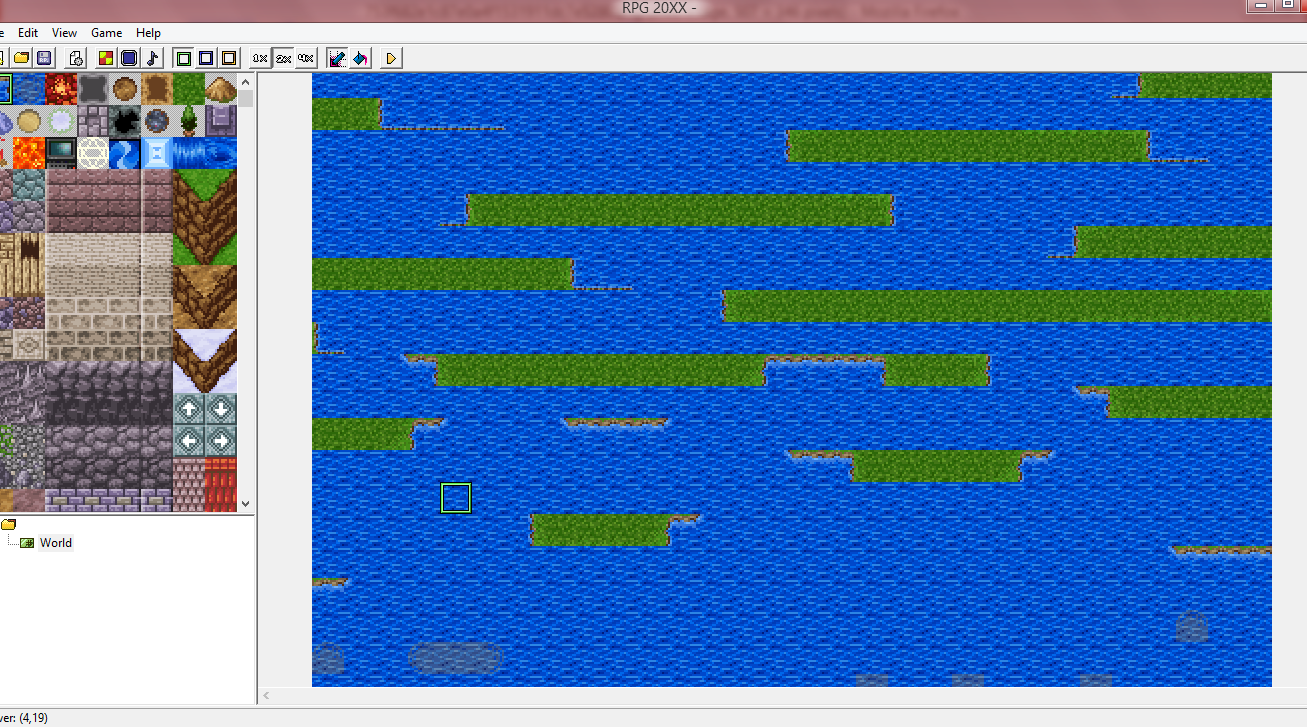
I assumed that was the case at first, and my first thought was something like that. That's too bad, there are a few instances where mixing up ocean and deep ocean tilesets near land tiles can make some cool looking architecture, like the illusion of a shoreline, or a steep dropoff.
RPG Maker 2003 freaked out when you drew deep ocean next to the land too, just in a different way.
0.07 Released
Ah, thanks.
Did you change the game size under project settings to something else? You're not the only one telling me this nukes the project. This is strange because this warning and handling was inserted to prevent this sort of thing from occurring.
This will happen if the editor crashes in the middle of a save or map change. I recommend backing up for a less annoying testing. I might have the editor create a backup of the project file automatically on boot you can manually recover to.
This is only visual. This is because its possible to select tiles that aren't adjacent in the tile palette, so the editor won't know what to show selected there. I think RPG Maker 2003 makes the tile selector vanish if you do this there, or matches the tile if it is singly copied.
This is because the deep ocean tiles are made to leave adjacent tiles alone yet pattern itself with itself.I am planning to handle the "parent background" setting eventually, Orochi suggested that quite some time ago. All autotiles are in the same format, so deep ocean expects to be near ocean.
If you set a map's dimensions below the minimum required (I set it to 1 in Rm2k and 2k3 so it resets automatically), the editor brings up a message saying it will adjust the dimensions to the correct size, then freezes
Did you change the game size under project settings to something else? You're not the only one telling me this nukes the project. This is strange because this warning and handling was inserted to prevent this sort of thing from occurring.
When I reloaded my project after the crash, all the maps were deleted and the database was emptied out (everything was listed as either "null" or "<empty>")
This will happen if the editor crashes in the middle of a save or map change. I recommend backing up for a less annoying testing. I might have the editor create a backup of the project file automatically on boot you can manually recover to.
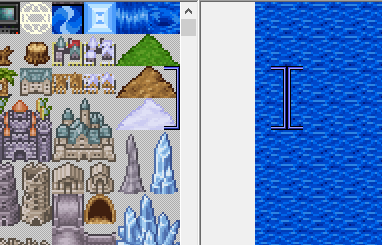
The selection tool for the tileset stays selected on those tiles, even when you right click on a tile on the map editor (I selected a castle, placed it on the map, right clicked the "empty" tile next to it to erase what I did, and the castle was still selected in the tile list)
This is only visual. This is because its possible to select tiles that aren't adjacent in the tile palette, so the editor won't know what to show selected there. I think RPG Maker 2003 makes the tile selector vanish if you do this there, or matches the tile if it is singly copied.
Maybe you already know this, but some of the tiles don't play nice - the water tiles overlap, and the ocean tiles just... I can't explain so here's a picture.
This is because the deep ocean tiles are made to leave adjacent tiles alone yet pattern itself with itself.
 Games - Tester
 Games - Other