



 Full Games List
 Featured Games
 New Games
 Reviews
 Media
Media Images
 Blogs
Blogs Game Updates
 Images Feedback Summary
 Game Design Highlights
 Tutorials
 Articles
 Scripts
 Utilities / Plugins
 Resources
 Engines
 Engine Bulletins
 What is Makerscore?
 Past Events
 Achievements
 Misaos
 Forums
 Chat
Chat New to RMN?
 Full Store List
 RMN Music Pack (free)



 Profile
 Locker
 Play Lists
KAZESUI'S PROFILE

 Close
Close





Search
Filter
 All
All Game Pages
 User Statuses
 The official English 2k3 version is out!
Not Seeing Names
[RM2K3] Question about the RTP/distributing my game
In your game folder, there should be a file called RPG_RT.ini.
Open this in a text editor, and add the line FullPackageFlag=1 to it.
If you do this, the games should work even without RTP being installed, just keep in mind that your game project needs to have all files which is used, including system graphics and other stuff you might not think about, otherwise the game will crash once trying to open any of these resources.
Open this in a text editor, and add the line FullPackageFlag=1 to it.
If you do this, the games should work even without RTP being installed, just keep in mind that your game project needs to have all files which is used, including system graphics and other stuff you might not think about, otherwise the game will crash once trying to open any of these resources.
[RM2K3] Hey is any of this even possible?
All of them should be possible, but they are all probably far less simple than you think. Having it in C++ also doesn't make it simpler ( your c# code up there won't be compatible, so there will be a lot more to it than just editing the if-statement a tiny bit ). Bit curious what exactly you'd want to do with the lid detection thing as well, since you won't be able to do much after the lid closes anyway unless you want to circumvent the laptop going into sleep/hibernation mode, which probably could be considered more of a malware territory than a cool feature.
Including most of these features will boil down to you having to find c/c++ libraries, learning how to use them, including them into the project all while hoping you're still able to compile them with the compiler restrictions DynRPG imposes on you.
Including most of these features will boil down to you having to find c/c++ libraries, learning how to use them, including them into the project all while hoping you're still able to compile them with the compiler restrictions DynRPG imposes on you.
Is this possible? Item Menu RPG Maker 2003
You use pointers to avoid a mountain of event code. Further specifics is described here
[DynRPG Plugin] DynModeSeven
There's no "airship" support at the moment, so you'd probably have to emulate it in a similar manner as pepsiOtaku did, i.e. event in a kind of custom directional movement scheme based on the rotation (I believe).
Math Plugin
Parallax Mapping [RM2K3]
author=pianotm
Lot's of stuff related to real parallaxing probably
"Parallax mapping" is one of the perversions in terms of terminology commonly used when dealing with rpg maker ( at very least rm2k(3) ). As McBick in the end pointed out, within the rpg maker realm, parallax mapping often means to simply use a background as the map, rather than utilizing true parallax mapping. Panorama mapping would probably have been a more appropriate term, but old habits die hard
DynRPG Particle Effects
I made a video recently of the remade version of my Particle Effects Plugin, and now it should be bug free enough to use. It's already been uploaded to the site, and I'm adding this topic to increase a tiny bit of visibility to it. If the RMbler ever becomes a thing, I'd probably use that instead.
For those of you familiar with the old version, the changes which this version brings with it, is that it has pretty much been rewritten from scratch, and improved a lot on in terms of performance. I've had test runs with up to 24,000 particles creating a snow like weather effect, while still running on 60 fps on my core i5 laptop.
That, and it has (in my oppinion) generally been made easier to use as well.
Depending on the response, I might write a tutorial, on how to better utilize the plugin, showing how to do various effects and how you can utilize the various properties to create cool stuff.
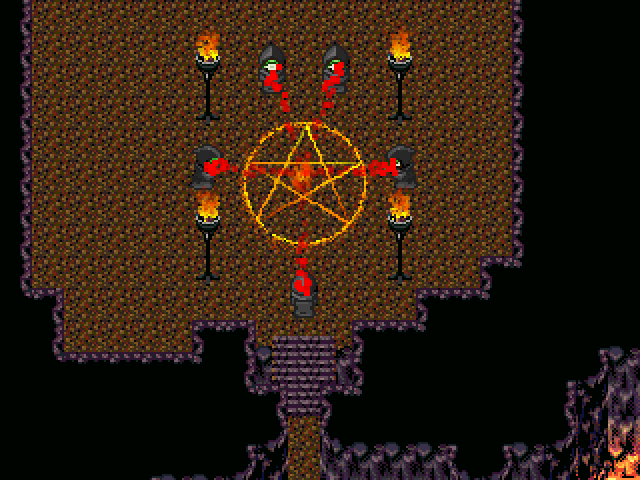
You can find the download link here
For those of you familiar with the old version, the changes which this version brings with it, is that it has pretty much been rewritten from scratch, and improved a lot on in terms of performance. I've had test runs with up to 24,000 particles creating a snow like weather effect, while still running on 60 fps on my core i5 laptop.
That, and it has (in my oppinion) generally been made easier to use as well.
Depending on the response, I might write a tutorial, on how to better utilize the plugin, showing how to do various effects and how you can utilize the various properties to create cool stuff.
You can find the download link here
Rm2k3 Converting Coordinates
Multiply by 16, than subtract by an offset corresponding to where you're screen is on the map. for 20x15 maps, this offset is always 0, since the screen doesn't move, but for bigger maps, it would be beneficial to have an event in the upper left corner of the map, and take it's screen relative coordinates as an offset.
 Games - Tester
 Games - Other
