



 Full Games List
 Featured Games
 New Games
 Reviews
 Media
Media Images
 Blogs
Blogs Game Updates
 Images Feedback Summary
 Game Design Highlights
 Tutorials
 Articles
 Scripts
 Utilities / Plugins
 Resources
 Engines
 Engine Bulletins
 What is Makerscore?
 Past Events
 Achievements
 Misaos
 Forums
 Chat
Chat New to RMN?
 Full Store List
 RMN Music Pack (free)



 Profile
 Locker
 Play Lists
SHOOBINATOR'S PROFILE
Shoobinator
662
 Close
Close
I am into just about every genre of game really. My brother and I grew up dabbling in RM2k3 on occasion to the point where hearing the RTP soundtrack brings a wave of nostalgia, so I'm most familiar with that engine as far as RPGMaker goes.
Check out my game I'm working on!
Legend of Alkior: The Impending Storm
Tension between two kingdoms rises as the seal on the renegade archmage, Xargath, inevitably fades and must be promptly restored.
Check out my game I'm working on!
Legend of Alkior: The Impending Storm
Tension between two kingdoms rises as the seal on the renegade archmage, Xargath, inevitably fades and must be promptly restored.
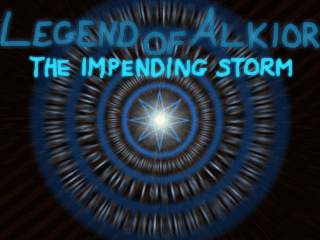
Legend of Alkior: The Im...
Tension between two kingdoms rises as the seal on the renegade archmage, Xargath, inevitably fades and must be promptly restored.
Tension between two kingdoms rises as the seal on the renegade archmage, Xargath, inevitably fades and must be promptly restored.


Search
Filter
 All
All Game Pages
 User Statuses
 Skill Detection In Battle?
I believe this tutorial is what you're looking for: http://rpgmaker.net/tutorials/536/
[2K3] Scan Command used with Item?
author=Xenomic
Wait, why do you need to copy it for every hero in the game? I'm assuming it's due to setting the trigger to "If uses the command" or something?
The general Item Command is the menu command in the battle system. You can't simply set individual items like this. That is the purpose of this method: to allow special effects for subset items/abilities.
[2K3] Scan Command used with Item?
1. Make a skill called "Scan Skill".
-Set the skill type to Normal.
-Set Effect Rating to 0. Set Success Rate to 100%. Set MP Consumption to 0.
-Set the target to Single Enemy.
-Add an appropriate animation.
-Optional: Make a condition called "Scanned". Have this skill inflict the Scanned condition, which always abates after 0 turns and has a 100% chance to recover each turn. No other effects, but to show that the monster was just scanned.
2. Make an item called "Scan Item".
-The item type will be "Skill Scroll".
-The item should have one-time usage.
-The item will invoke "Scan Skill".
3. Now comes the hard(er) part with theretroactive monster event. I will explain my version below, but there is also another tutorial here: http://rpgmaker.net/tutorials/536/
(Actually, I don't think my method would technically be considered a retroactive event. After testing, if a retroactive event is used here like described in that tutorial, the scan message would not appear at all. This must mean that the game maker checks the values of items in inventory and current MP of heroes at different times, or something else weird like that.)
-Anyways, make several variables each called the following: OldNumScanScroll, NumScanScroll, ScanHPMax, ScanHP, ScanMPMax, ScanMP. The last four will be used to store the monster stats.
-Make a monster group battle page for your first hero with the trigger uses the command.
-In this page, set the variable OldNumScanScroll to the current number of Scan Items held.
-Make an if branch that activates when the monster is targeted. Inside this branch, set the variables ScanHPMax, ScanHP, ScanMPMax, and ScanMP based on the monster's current stats.
-Copy this branch for a total of 8 branches. Change the condition of each to activate only if each monster is targeted. You will have to put 8 monsters in the monster group at least temporarily to have this option.
-Now copy this page for each hero in your game. Change the page trigger accordingly.
-Make another monster group battle page that activates when "Turns Elapsed is X + 1".
-In this page, set NumScanScroll to the current number of Scan Items held.
-Then, subtract NumScanScroll from OldNumScanScroll.
-If OldNumScanScroll is now 1, display the scan message, or call a common event that displays the message. You can display variable values in messages like this:This will show the fifth variable in the database.
-Finally, you will need to copy each of these pages into every monster group for your game.
Hm, maybe I should just copy this as a tutorial for the website...
@Xenomic: If you want the scan item to work with unlimited use, you will need to give the party one item that is of single use only, and then right after the message add one scan item to the party inventory. You need to do this because otherwise the page activated by using an item will always activate the switch or set the variable that would activate the other page that displays the message. This will work only if the only consumable item in your game is the scan item (which I would guess is not the case).
However, this will create a brief period where the scan item is strangely missing from inventory because it takes one turn for the message to display and another item to be added back into inventory. You could make this reason apparent to the player such as the item is currently in use, scanning the enemy, and you just have to wait again to use it. (i.e. It can only scan one enemy at a time and it takes one turn to do so.)
-Set the skill type to Normal.
-Set Effect Rating to 0. Set Success Rate to 100%. Set MP Consumption to 0.
-Set the target to Single Enemy.
-Add an appropriate animation.
-Optional: Make a condition called "Scanned". Have this skill inflict the Scanned condition, which always abates after 0 turns and has a 100% chance to recover each turn. No other effects, but to show that the monster was just scanned.
2. Make an item called "Scan Item".
-The item type will be "Skill Scroll".
-The item should have one-time usage.
-The item will invoke "Scan Skill".
3. Now comes the hard(er) part with the
(Actually, I don't think my method would technically be considered a retroactive event. After testing, if a retroactive event is used here like described in that tutorial, the scan message would not appear at all. This must mean that the game maker checks the values of items in inventory and current MP of heroes at different times, or something else weird like that.)
-Anyways, make several variables each called the following: OldNumScanScroll, NumScanScroll, ScanHPMax, ScanHP, ScanMPMax, ScanMP. The last four will be used to store the monster stats.
-Make a monster group battle page for your first hero with the trigger uses the command.
-In this page, set the variable OldNumScanScroll to the current number of Scan Items held.
-Make an if branch that activates when the monster is targeted. Inside this branch, set the variables ScanHPMax, ScanHP, ScanMPMax, and ScanMP based on the monster's current stats.
-Copy this branch for a total of 8 branches. Change the condition of each to activate only if each monster is targeted. You will have to put 8 monsters in the monster group at least temporarily to have this option.
-Now copy this page for each hero in your game. Change the page trigger accordingly.
-Make another monster group battle page that activates when "Turns Elapsed is X + 1".
-In this page, set NumScanScroll to the current number of Scan Items held.
-Then, subtract NumScanScroll from OldNumScanScroll.
-If OldNumScanScroll is now 1, display the scan message, or call a common event that displays the message. You can display variable values in messages like this:
\v[5]
-Finally, you will need to copy each of these pages into every monster group for your game.
Hm, maybe I should just copy this as a tutorial for the website...
@Xenomic: If you want the scan item to work with unlimited use, you will need to give the party one item that is of single use only, and then right after the message add one scan item to the party inventory. You need to do this because otherwise the page activated by using an item will always activate the switch or set the variable that would activate the other page that displays the message. This will work only if the only consumable item in your game is the scan item (which I would guess is not the case).
However, this will create a brief period where the scan item is strangely missing from inventory because it takes one turn for the message to display and another item to be added back into inventory. You could make this reason apparent to the player such as the item is currently in use, scanning the enemy, and you just have to wait again to use it. (i.e. It can only scan one enemy at a time and it takes one turn to do so.)
[2K3] Scan Command used with Item?
author=Xenomic
Yup, so I tried doing it by making the item a skill > making a skill that turns on a switch > making a battle event that uses the switch. It does nothing at all normally, but will only activate if you attack the enemy with anything. So this method won't work right at all : S
If you want me to elaborate my method, which I described above, I can give you a more detailed explanation.
[2K3] Scan Command used with Item?
Let me know if you get this to work 100% as intended. I made a scan item before, but I had to settle on using a method that involved a retroactive event. Ultimately, the scan ability worked and could target individual enemies with an animation etc., but I could only ever make the scan message show up one turn later.
So for example, you have your hero use Scan Item on Goblin. The animation will show on Goblin and will store its current and max HP, but the message will not show up until right before Goblin takes an action or until right before another party member takes an action.
That was the best I could make my solution. Let me know how yours goes.
--------------------------------------------------------------------------
In most cases, how I got mine to work will be sufficient, but if the enemy is slow or just attacked, and then you use a Scan Item, you will either have to wait or go just one more turn/action before knowing the results of the scan.
Also, one of my characters was going to have a scan ability as an innate ability and that one showed the message instantly, which could be an incentive to keep him around in the party for that purpose rather than getting a bunch of the items that have the delayed message.
So for example, you have your hero use Scan Item on Goblin. The animation will show on Goblin and will store its current and max HP, but the message will not show up until right before Goblin takes an action or until right before another party member takes an action.
That was the best I could make my solution. Let me know how yours goes.
--------------------------------------------------------------------------
In most cases, how I got mine to work will be sufficient, but if the enemy is slow or just attacked, and then you use a Scan Item, you will either have to wait or go just one more turn/action before knowing the results of the scan.
Also, one of my characters was going to have a scan ability as an innate ability and that one showed the message instantly, which could be an incentive to keep him around in the party for that purpose rather than getting a bunch of the items that have the delayed message.
1sentence
author=FlyingJester
You could theoretically make a story for a game with no conflict.
And I could "theoretically" jump to the moon. :P Anyways, my point was that I didn't think something like this was possible, but attempt to prove me otherwise.
Also, I now realize categorizing conflict into the five aforementioned groups would likely restrict new forms of storytelling.
1sentence
author=FlyingJesterauthor=ShoobinatorWhat if the game has no conflict?
Hm, you might as well make this thread, "Which type of conflict is most important in my game?"
- Man vs Man
- Man vs Society
- Man vs Self
- Man vs Nature
- Man vs Machine
Games can have no story, but I assumed this thread was targeted towards those types of games. Moreover, a story with no conflict would probably be really boring.
[RM2k3] Shadow-light dungeon mechanic. Possible solution?
author=bulmabriefs144
Anyway, moot point. Shoobi, did you get it to work somehow?
I haven't had time to work on it recently, but this was something I had only thought about implementing much later down the road. For my game, I plan on having some kind of central goal or puzzle theme for each dungeon, and this was going to be at one of the later dungeons or even maybe a side-quest dungeon. However, I was going to begin implementing the dungeons sequentially from the start of the game, only after I do some more work on enemy encounter and boss designs.
1sentence
Hm, you might as well make this thread, "Which type of conflict is most important in my game?"
- Man vs Man
- Man vs Society
- Man vs Self
- Man vs Nature
- Man vs Machine
 Games - Tester
 Games - Other
