



 Full Games List
 Featured Games
 New Games
 Reviews
 Media
Media Blogs
Blogs Game Updates
 Images Feedback Summary
 Game Design Highlights
 Tutorials
 Articles
 Scripts
 Utilities / Plugins
 Resources
 Engines
 Engine Bulletins
 What is Makerscore?
 Past Events
 Achievements
 Misaos
 Forums
 Chat
Chat New to RMN?
 Full Store List
 RMN Music Pack (free)



 Profile
 Locker
 Play Lists
SNOWOWL'S PROFILE

 Close
Close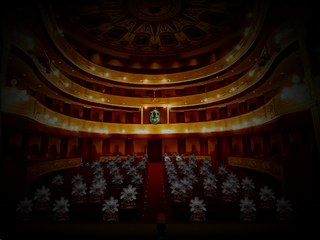





Search
Filter
 All
All Game Pages
 User Statuses
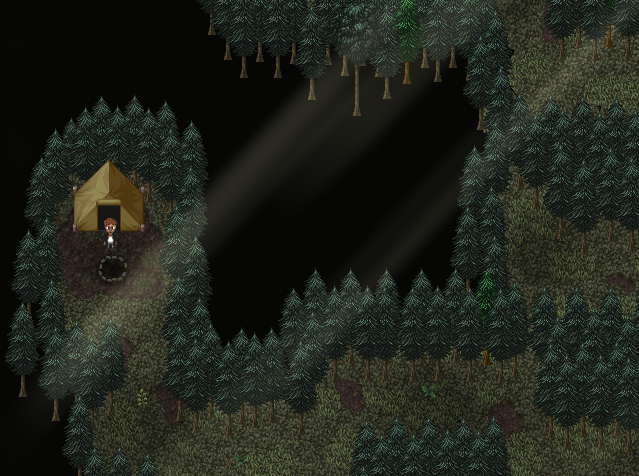
 CampEvening.png
 The Screenshot Topic Returns
@Xenomic
You really need to downsize your maps.
The bigger and emptier a map is the more boring to look at it is (not to mention it takes ages to walk through).
You should take every single map you've shown in this topic and make them 50% the size.
Empty space is bad space. Make your maps as big as you need them to be to fit the necessary elements (such as doors, enemies, events etc) and remove the rest.
Your maps are also all square. It doesn't matter if there is some empty space in your map, it's not like you HAVE to use every square pixel of the map.
Example: The front foyer can be divided into 3 rectangles/squares.
The incredibly big 1st floor square, with a square room inside, and the rectangle upper floor.
It's not like there aren't mostly square rooms in the real world, but it doesnt hurt to try and break the pattern.
You are on the right track, judging by the forest rework. Keep at it.
You really need to downsize your maps.
The bigger and emptier a map is the more boring to look at it is (not to mention it takes ages to walk through).
You should take every single map you've shown in this topic and make them 50% the size.
Empty space is bad space. Make your maps as big as you need them to be to fit the necessary elements (such as doors, enemies, events etc) and remove the rest.
Your maps are also all square. It doesn't matter if there is some empty space in your map, it's not like you HAVE to use every square pixel of the map.
Example: The front foyer can be divided into 3 rectangles/squares.
The incredibly big 1st floor square, with a square room inside, and the rectangle upper floor.
It's not like there aren't mostly square rooms in the real world, but it doesnt hurt to try and break the pattern.
You are on the right track, judging by the forest rework. Keep at it.
The Screenshot Topic Returns
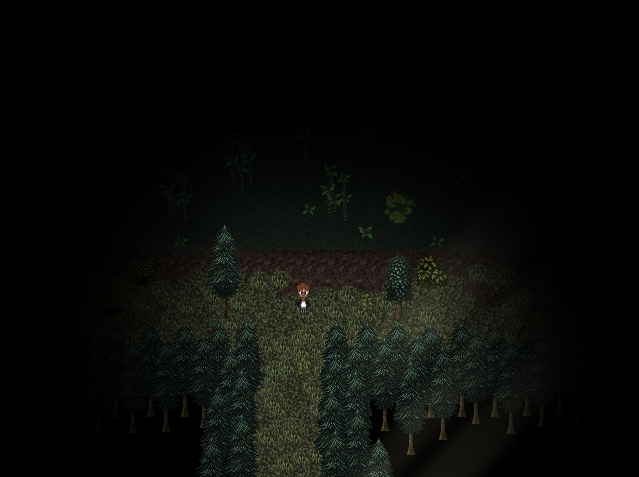
The Screenshot Topic Returns
@Xenomic
I can't see much since from the screenshot since its downsized too much but from what I can tell it has the same problem all your maps do. Too much empty space with absolutely nothing going on.
I can't see much since from the screenshot since its downsized too much but from what I can tell it has the same problem all your maps do. Too much empty space with absolutely nothing going on.
 Siris' Inferno
@Kazekage966
Thank you, really.
Right now I'm a bit tired of it, for various reasons. I will probably finish some small project(s?) and continue on it after those.
Thank you, really.
Right now I'm a bit tired of it, for various reasons. I will probably finish some small project(s?) and continue on it after those.
Eyes.png
 Fullscreen VX Ace
author=Archeia_Nessiahauthor=SnowOwlThat would be a problem with the video card at this point.author=Scalytank
(I think, that not many gpu will do that stretch thing... plus there are options to run the engine in 640*480, you should consider that also.)
I assume you mean something like this:Graphics.resize_screen(640 , 480)
That has nothing to do with the fact that the window stretches in fullscreen.
I can work it properly in my laptop but in my Nvidia video card desktop it's annoying because it stretches :v (Aspect Ratio Scaling)
Yeah I know. I just thought that since there is one script that does fix it (buggy as it is), there might be another better one.
Fullscreen VX Ace
author=ScalytankGoing into fullscreen mode and then exiting it erases part of the screen in windowed mode, and removes the window border.
Umm. What is the problem with windowed mode, and this script?
author=ScalytankI assume you mean something like this:
(I think, that not many gpu will do that stretch thing... plus there are options to run the engine in 640*480, you should consider that also.)
Graphics.resize_screen(640 , 480)
Fullscreen VX Ace
author=GreatRedSpirit
Sounds like the GPU is doing the scaling for full screen applications that don't run at your monitor's aspect ratio. The option to control this should be somewhere in the GPU control panel. Actually enabling it on the other hand... well let's just say this feature isn't well supported. You may have to scale your screen resolution to the Ace full screen resolution, enable it, then change back to your normal desktop resolution.
That's pretty much the problem. I don't want to force people to change to a shitty resolution just to be able to play my game in fullscreen (without the screen stretching and blurring the sprites).
Fullscreen++
As i said, this script does it, but it's a bit buggy. Try putting it in a game and press F5, the windowed mode doesn't work correctly.
I'm aware you can make changes to alter the behavior of full-screened 4:3 applications, but not everyone have done this.
Which is why I still want to know if there is a script that circumvents this, and works correctly.
 Games - Tester
 Games - Other
