New account registration is temporarily disabled.
  • Add Review
  • Subscribe
  • Nominate
  • Submit Media
  • RSS
Note: Please do NOT use F12 to reset your game. Thank you!

“I want to return.”

Have you ever made a mistake you regretted so much that you wish it possible to turn back time? That memory will never release you from its agonizing grasp for the rest of your life. But even if the present gave you the privilege to relive the past, would you have the strength to confront it? Or would your sins damn you into oblivion?

In our remake of Castle Oblivion, we've done a complete overhaul: Story, Character Development, Maps, and Gameplay worthy of current RPG players. The Castle welcomes newcomers and old-timers alike. And if you played the original, you’ll definitely want to revisit the Castle again.

Story Synopsis:
Vincent and Azen, two knights stuck in the rain, discovered a strange Castle. Their host was gracious enough to offer permanent refuge by kidnapping Azen with an overwhelming power. Not wanting to be next, Vincent abandoned his friend. After drifting through decades of guilt and wanting to redeem himself, the Castle returned. Vincent will find new friends and foes as he traverses the Castle’s memory-made worlds to rescue Azen, but can everyone overcome the shameful past?

Features:
- A rewritten and more expanded take on the original plot. Filled with tons of BANG!
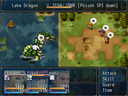
- Re-balanced battles, designed for an enjoyable challenge, rather than frustration.
- Remade, detailed maps filled with variety. Makes the Castle feel more deep and alive than ever before!
- Stronger development for the different characters in the game.
- Save anywhere!
- Interesting and creative puzzles to solve!
- Rescue other trapped souls from the Castle!
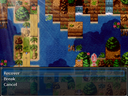
- Find Recovery Crystals, which you can either use to heal or break for stat-increasing items!
- Witness Vincent's hometown, Port Brinks, evolve as the story progress.
- Lots of secret rooms and treasure are rewarded for the dedicated explorer.
- Optional Bosses and Dungeons to test your might and uncover more information about the game's world and characters.


Estimated game length: 20+ hours

Full game released as of 20/12/15. Check it out!

WATCH THE TRAILER!

Related:
Original Game: https://rpgmaker.net/games/8995/

Latest Blog

Castle Oblivion: Remake is now on Game Jolt!

Yo-yo-yo! I've finally decided to take my next step as a developer to join the somewhat huge indie website called Game Jolt! The first game I have posted is this one (mainly since it's the game I'm most proud of so far). You can check it out right here: Castle Oblivion: Remake - Game Jolt Edition.

I also want to let you guys know that I am indeed working on my 5th game ATM, which should be revealed pretty soon (it's a pretty short game, so it won't take too long for it to release either!). If you're a fan of Adventure games, then make sure to stay tuned!

Thanks for all of the support and kind comments so far! I really feel like I need to do something to celebrate for the amount of downloads the game have received. Keep it real, yo, and I'll see ya soon!

Posts

Linkis
Don't hate me cause I'm Cute :)
1025
YES LIBERTY, I know this is a double post, but I believe it's the right thing to do for what I have to say :) haha

So, just started playing...
I love the mapping of course.
Can't believe I spotted my name in the credits above :)
Would like a few more things to find, but then, I'm a greedy

I'm finding one real problem and another that was a crash but I could not get it to happen again so I'm not sure how important it might be for others.
When I'm introducing myself from the bed in the witches cabin: I got an error messge, something about stacking and I THINK not enough space, so the game crashed.
The other thing is the loss of letters and whole words at the end of sentences on the right as I've seen in some other games. Those sentences that I can figure out from what I can see don't matter. The problem is ALMOST all sentences have this problem on the right.
Maybe if the character was above the print you could move the print to the left and it would show or a smaller font??
Of course I don't make games so I really don't know what I'm talking about :)
Hmm, that's really weird; I tested it again just before uploading it and I received no such errors. Neither me or my tester have experienced a crash like that. If it ever happens again, would be so kind and take a screenshot of it? Just press "print screen" when the errors pops up and then open paint (or whatever image editing program you have) and paste the printed screen.

I've experienced the error with missing letters as well in other games. I think it has something to with the computer's screen resolution.

I'm not sure how to fix these issues, but I will give it a shot either way. Thanks for letting me know about this! :)
am just about to hit a cut scene on floor 2 when someone cried help and i got this error that crash the game [unable to find audio/bgm/pokemon xd-music pyrite town.
author=sunny88
am just about to hit a cut scene on floor 2 when someone cried help and i got this error that crash the game [unable to find audio/bgm/pokemon xd-music pyrite town.


Hello.
I think its a missing audiofile,(must have disappeared)i have it in my version of the game and can try upload it tomorrow if not luiishu535 do it before.
My problem is i dont know how to exactly do it...
WHOOO!! :D Looking forward to playing this cuz I enjoyed CO3 a lot, and I never got to play CO1 or CO2 "properly" as the only versions I could find for download were hacked and at LV99...

Will this feature multiple endings like CO3?
@sunny88: That is a really strange bug. Have you checked the game folder under Audio/BGM if the missing file is there or not. This happened once during testing, but only for one tester (it was fixed afterwards however).

You did start playing from a new game/save, right? If you use an old save file from the demo, the game will be unplayable.

I added a new download that I want you to try (you should be able to copy your save files over without any problems). Here it is: http://rpgmaker.net/games/7548/downloads/7710/

If that doesn't work, please download this (it's the missing audio file) and add it to the game's Audio/BGM Folder: http://rpgmaker.net/users/luiishu535/locker/Pokmon_XD_Music_Pyrite_Town.rar

I apologize for the convenience. This error has never occurred before, so I wasn't counting on it to happen. In worst case scenario, the error will be caused by your PC and not the actual game. If that's the case, I may not be able to fix the problem, as every PC is different and the error could be caused by numerous things.

@kenlan: Thanks for jumping to help, I really appreciate. To upload a file like that, I would recommend you to use RMN's Locker function. You'll have to compress the file in order to upload. I use and recommend winrar for that.

@Kyubey: Good to see you again! The original games aren't supported anymore by the creator (I think). I remember that my friend, zachfoss, uploaded it here and he went inside the game and changed the character levels in order to blast through the unbalanced battles. With that said, I do recommend you to play this remake instead (at least for now). It has improved the game vastly on all areas.

Nah, there's only one ending for this game. :)
thank you,i finally got it to work.
Awesome! Let me know if you stumble upon any other errors.
Linkis
Don't hate me cause I'm Cute :)
1025
OKEY DOKEY, alls well that ends well :)

Downloaded the new download.

The "crash" did not happen during introduction in the witches log cabin.
But, even better news....all words are now where they belong....inside the game window :)

I guess the rtp somehow screwed up the characters speech.

Thanks for the updated download, now off to killing monsters....oh happy day :)
Linkis
Don't hate me cause I'm Cute :)
1025
Well, I think I got the same "crash" problem in the Cemetary north of town looking for Tikals friend.
Tried the paint/copy/paste but I'm not a geek so it did not work :(

This is what the error said:
Script 'Game_Character' link 135:
System Stack Error occerred.
Stack Level To Deep

Then the game CRASHED :(
Hope this helps in correcting the error.
Exactly when did this happen? Was it at the Cemetery Gates, when Tikal warns Vincent about the wraiths?

I think that error only appears if you press F12. Did you press F12 during your playthrough? Also, did you start from a new save file (from the beginning), or did you load an old save?
Linkis
Don't hate me cause I'm Cute :)
1025
If I could get that damn PrintScreen to work you would not have had to ask me such a silly question :( I hit print screen then hunted till I could find Paint but could not get paint to ....crap, what am I talking about....I don't know how to get paint to work with PrintScreen....71yrs of age and I'm using Windows for Seniors for Dummies...what the hell, why didn't I use the friggin' book?? Cause it was late:(
Will see if I get the crash again and try to print the screen.
Not sure where it happened, but it WAS in the cemetary.
InfectionFiles
the world ends in whatever my makerscore currently is
4622
Looks amazing man! Subbed and downloading :)
@Linkis: Try reading this: http://windows.microsoft.com/sv-se/windows/take-screen-capture-print-screen#take-screen-capture-print-screen=windows-7
It may sound tedious, but it's really simple actually.

A lot of people at 70+ don't know how to restart a computer (at least from my experiences), so don't worry. :)

One question though; do you know if the error message popped up during/right after a battle. If I remember correctly, the "stack level too deep error" usually pops up when a party member levels up. I could be wrong though.

Also; do NOT use F12 while playing this game. If you do, the same error will likely pop up again, so I don't recommend it. ;)

@InfectionFiles: Thanks dude! I hope you'll enjoy it. :)
Linkis
Don't hate me cause I'm Cute :)
1025
@luiishu535, ya big goose :)
It was in Swedish :)hahahaha
And all info has been moved to another area, AGAIN :) hahahahah
Not sure now WHEN it happened, just that it was in the gggrrraavvvveeeyard :)
No problem, I pull up the Dummies site or go to Windows and look up the info.
Oops, my bad! xD Here's the one: http://windows.microsoft.com/en-us/windows/take-screen-capture-print-screen#take-screen-capture-print-screen=windows-7

author=Linkis
And all info has been moved to another area, AGAIN :) hahahahah


Do you mean that you moved the save file or did you restart the game?

Anyway, I think you should be safe unless you decide to press F12. ;)

Did I ever mention that I love your avatar? xD It's from the glass window in Hyrule Castle (Wind Waker), isn't it?
Got to floor 2 last night, continuin' now. I really like it so far! I actually did play all through CO1 and CO2 at LV99, despite it being no fun at all, I wanted to see the story at least and that upload was all I could find! So I'm glad you did this remake, now I can play the game properly and with tons 'n tons of improvements too! :D
Linkis
Don't hate me cause I'm Cute :)
1025
Thanks for the English translation :)

Actually I got my avatar from a free avatar site.
I encountered that bug in the coastal cave while trying to jump over a pit. I did reset with F12 a few minutes prior, however, and I know this stack issue happens in some RPG Maker games when you do that..So basically, I'm confirming that it is like 99.99% likely that F12 is the culprit.
@Kyubey: I'm glad to hear that you're enjoying the game so much and that you see the remake as an improvement. I think zachfoss (the one who re-uploaded CO1 and 2) made the everyone lv 99 just so that players could enjoy the story.

That error is definitely caused by pressing F12. It's my bad, since I was so busy fixing some other bugs that I completely forgot that that error still existed. I apologize for the technical difficulties. As long as you don't press F12 in-game, everything should go fine. :)

@Linkis: No problem! The avatar is from Wind Waker (I figured you had played it). Here's the full picture:

It would make a good wallpaper. ;)