



 Full Games List
 Featured Games
 New Games
 Reviews
 Media
Media Images
 Blogs
Blogs Game Updates
 Images Feedback Summary
 Game Design Highlights
 Tutorials
 Articles
 Scripts
 Utilities / Plugins
 Resources
 Engines
 Engine Bulletins
 What is Makerscore?
 Past Events
 Achievements
 Misaos
 Forums
 Chat
Chat New to RMN?
 Full Store List
 RMN Music Pack (free)



 Profile
 Locker
 Play Lists
GREATREDSPIRIT'S PROFILE

 Close
Close
sherman
o
o





Search
Filter
 All
All Game Pages
 User Statuses
 Keeping File Size Down with MP3/OGG
Keeping File Size Down with MP3/OGG ~ Having Your Cake and Eating It Too
by Great Red Spirit
Version 1
1. Introduction
So you're making a game, an epic tale of heroes versus the forces of darkness. It wouldn't be an epic adventure without some great music so you go looking for some. Before long you have your soundtrack, except there's one small problem: They're all bloated MP3s and including these tracks would drastically increase the file size of your game! Now's where you need to work on your musical finds to reduce their file size so that they no longer bloat your game's file size while still using the same great music you found. You'll need to edit it to cut out redundant data, if desired you can loop it better, and encode it at a lower bitrate where you can drop the file size significantly while preserving the quality as best you can.
1.1 The Advantages ~ How Low Can I Go?
This depends on various factors:
- What bitrate was the file originally encoded at?
- At what bitrate does the music start to sound bad?
- What audio codecs can you use?
- How many times does the original file loop?
- Is there any lead-in or lead-outs?
Here's one comparison:
Original MP3 Edited File
File Size: 4.98MB (5099KB) 0.66MB (678KB)
Track Length: 4:23 1:55
Audio Codec: MP3 OGG
Bitrate: VBR~160kbps VBR 49kbps
# of Loops: 2 1
5MB versus 0.66MB is a drastic advantage between the original file and an edited version. The returns can be better as some MP3s can be encoded as high as 320kbps, but the same applies as you might not get the same low bitrates with an acceptable loss in quality. There's still an advantage to be had by some simple editing.
1.2 Alternative ~ What About MIDI?
Audio codecs such as OGG and MP3 offer high quality music but at the cost but at a high cost. The alternative music format, MIDI, can't match MP3/OGG's quality potential but they have an great file size advantage. The longest MIDI's file size blow away short MP3/OGG's file size; A 16 minute MIDI file is only 225KB while a 3:44 MP3 is 5.2MB (5283KB). The file size advantage of MIDI can't be matched, but its possible to shrink the disadvantage and the file size of MP3/OGG formats. MIDI however can't match the quality potential of MP3/OGG.
2. Getting Set Up ~ What Do I Need?
Besides your music, you need two essential programs:
1) Audio editing software
2) Audio encoding software
For this tutorial I'll be using the following programs:
1) Windows Sound Recorder for editing WAV files
2) dbPowerAmp for encoding WAV files into MP3/OGG
3) Winamp to convert music formats to WAV files
Some alternatives to Windows Sound Recorder would be programs like Audacity or Goldwave. These programs are outside the scope of this tutorial and you'll have to try them out on your own, but they do have a lot more features than Microsoft Sound Recorder.
For dbPowerAmp, you need to download additional codecs available at their site to add support for OGG encoding. OGG Codec link. For MP3 encoding the built-in LAME MP3 encoder has a license that allows for 30 free days of use. A free MP3 codec called MP3 Helix. MP3 Helix Codec link.
3. Editing Your Music ~ Cutting the Fat
The idea is simple enough. You remove anything that is redundant to the music. This is usually things like silence at the start or end of the track, lead-ins or lead-outs that when the music loops sounds awful, and when the music itself repeats like most OST tracks do. The first step is to get your music in an easy to edit format if it isn't already. For this tutorial WAV will be the used format, and most music doesn't come in that format so the first step is to convert the music.
This is the track that will be used for this tutorial if you want to follow along. *2
Once it is converted into WAV, the next step is to cut out loops, lead-ins, and lead-outs as you so desire. You should listen to the music a few times and have an idea of what should be cut, such as any extra loops in the music or a fade out lead-out. Once you're done editing your music, the next step is to reencode it into a smaller file size.
3.1 Converting to WAV ~ Because Microsoft Sound Recorder Doesn't Support Anything Else
So how does Winamp convert music to the WAV format? Winamp has an output plugin that outputs whatever it is playing into a WAV file. First, turn off repeat in Winamp so it won't keep trying to write the WAV file when its finished. Next hit Ctrl-P to open the Winamp preferences.

You should see something like this. Click on Output under Plugins.

This is a list of all available output plugins for Winamp. Select the Nullsoft Disk Writer and click configure.

Set the output directory to whereever would be best for you and click OK. This will take you back to the output plugins, click close.
Now play the music track through Winamp. The progress bar will speed across since it isn't actually playing the music, just converting it. You now have a WAV version of your music track! This method works with most audio formats including exotic ones such as SPC. NSF formats that don't end have to be manually stopped. WMA formats aren't supported due to licensing issues with Microsoft. You'll have to find another way to convert to WAV or edit the WMA file directly which is beyond the scope of this tutorial.
3.2 Where and How to Cut ~ Beware Sharp Edges
The first thing to remove is any loops. Generally there's only one or two loops and our demonstration track has two. You can estimate the location of where the music loops by taking the total length and cutting it in half, but to find the exact point you'll have to play it by ear. The lead-in and lead-out length affect this since the track is usually Lead-In/Loop1/Loop2/Seconds of Loop 3/Lead-out.
For our demo track which is 224 seconds long, the loop point would be around 112 seconds (1:52). Its easy to pick it off for this track too, and I'd estimate it the loop to be around our estimated target. Now what you want is to cut out one of the loops. After all its just the music repeating itself, right? What loop to cut depends on what you want: The first loop has the proper lead-in and setup, but the second loop sounds better when its being played continuously. I generally shoot for the second loop, so I'll cut out the first loop.
Open up your WAV file in Microsoft Sound Recorder and go where you thought the sound looped:

Give the exact loop point some space though, this is a inprecise cut for now. You want to get the loop point and some of the unwanted stuff around it. We'll do a proper cut later. Under Edit go to Delete Before Current Position. This will cut out most of the first loop and lead-in.
Next step is to cut out the start of the third loop and the lead-out. Its almost the same as before: Go to around where the loop ends and listen for when the music starts to loop again. Its a bit before 95 seconds (1:35) so under Edit go to Delete After Current Positoin when you're at that point in the track.

Save this file! A different name would be best in case of a mistake, but now we'll work on making it a fine cut loop since its pretty coarse right now.
Move the seek bar to the start of the track like so:

Push the right direction key on the keyboard when the seek bar is highlighted like it is above. This will move the seek bar .10 seconds forward. Move it once or twice and cut everything before the current position. This will cut a small amount of the pre-loop music we still have. Keep doing it until you're happy with how it starts. Remember there is no undo so if you mess up and cut too much, reload your saved file from before!
When you're done with the start of the track, go to the very end and cut off bits from the end.
To make sure you got a good fine cut that loops good, import the WAV file into your game and play it through the editor music player or play it like a regular music file. Listen specifically for the loop point and make sure it sounds good. If you can notice the loop casually, go back to your coarse cut save and try again. Otherwise, good job! You just did the hardest part of this entire process.
Notice: If you use RM2k(3), after you save your fine cut, go under Effects and select Increase Speed (100%). Save this file under a different name.
4. Encoding to MP3/OGG ~ FORMAT WAR!
So now you have your clean cut WAV file. The next step is to encode this file using an audio codec. The WAV format uses lossless compression and no compression which gives it a huge file size that is neither wanted or needed. The main choices are OGG and MP3. OGG is the better compression codec of the two but it doesn't have the same support as MP3. If you use RM2k(3), you want MP3 and for RMXP/VX, you want OGG.
The idea is to compress your file using various low bitrates and to see which bitrate is your sweetspot: A good match of file size and quality. The fine cut demo track will be encoded using several different bitrates under MP3 and OGG.
Here is the fine cut version of the demo track that I'll be encoding at low bitrates. Its a higher quality OGG so there shouldn't be any non-trivial quality loss from the original file.
To encode your file, open dbPowerAmp and select your fine cut WAV file. You should get a window similar to this:

The pull down menu at the top selects what codec you are using to encode at. The options discussed in this tutorial are MP3 Helix and Ogg Vorbis. There are other MP3 encoders available, such as LAME.
The target can be any option, but this tutorial used the selected one, variable bit rate (VBR) for all encoding.
The last highlighted part is the quality slider. Farther left means less quality and file size, while farther right means more quality but greater file size. This is what you want to play with to find the ideal bitrate to encode at that has both quality and file size. Pick a bitrate, convert, and listen to see if its quality is acceptable or not. Repeat until you find your sweet spot or you just can't encode low enough.
4.1 The Results ~ Winning Arguments on the Internet
Here's the file outputs of the fine cut input file. The MP3 was encoded using MP3 Helix and OGG was encoded using OGG Vorbis. The lowest MP3 variable bitrate was 80kbps. There was a 48kbps constant bitrate under MP3 Helix, but it just encoded it at 96kbps constant.
Note: Bitrate is what is specified in dbPowerAmp, though Winamp reports higher.
MP3 OGG
VBR~120kbps VBR~128kbps
VBR~100kbps VBR~98kbps
VBR~90kbps VBR~80kbps
VBR~80kbps VBR~64kbps
VBR~48kbps
The sweet spot is purely subjective to what you want and if you can find any differences between the higher and lower bitrates. OGG supports lower bitrates so smaller file sizes are possible with OGG just through supported kbps. Find your favorite quality/file size bitrate and use that to encode your music and import into your project.
The smallest file, OGG VBR 48kbps, is 553KB big. The original file is 5285KB, nearly ten times bigger than the smallest OGG file! The returns of properly editing and encoding MP3/OGGs can be drastic at little quality cost. The return rate will be different for each file, depending on how it was originally encoded, if there's more than one loop in it, and how low you can get the bitrate with it still sounding acceptable.
4.2 Cutting File Sizes in Half ~ For Desperate People
If you use RM2k(3), you can cut the size of a MP3 track in half. If you double the speed of the music file (See the notice in Section 3.2) and encode that file then during playback in RM2k3a half the speed that the track plays, you can get a decent playback of the original file. The quality takes a hit but it is a drastic reduction in file size of about half. If you're desperate to reduce the file size of your audio files this is a possible step to take.
5. Conclusion ~ tl;dr
Cut out the lead-in, lead-out, and additional loops from your music. The second loop, if there is one, loops better. Encode your music using MP3 or OGG at the lowest possible bitrate while still preserving quality. Differences in file sizescan be around a factor of 10.
6. Music Credits ~ I Didn't Make Any of This!
*1 A mass Final Fantasy remix compilation. Compilation composer unknown, original composer is Nobuo Uematsu.
*2 Demon Spear of Wild ARMs Alter Code F composed by Michiko Naruke
** I thought there'd be a bigger difference between MP3 and OGG. Last time I did this there was, but that was with LAME MP3 and a different track. Oh well.
by Great Red Spirit
Version 1
1. Introduction
So you're making a game, an epic tale of heroes versus the forces of darkness. It wouldn't be an epic adventure without some great music so you go looking for some. Before long you have your soundtrack, except there's one small problem: They're all bloated MP3s and including these tracks would drastically increase the file size of your game! Now's where you need to work on your musical finds to reduce their file size so that they no longer bloat your game's file size while still using the same great music you found. You'll need to edit it to cut out redundant data, if desired you can loop it better, and encode it at a lower bitrate where you can drop the file size significantly while preserving the quality as best you can.
1.1 The Advantages ~ How Low Can I Go?
This depends on various factors:
- What bitrate was the file originally encoded at?
- At what bitrate does the music start to sound bad?
- What audio codecs can you use?
- How many times does the original file loop?
- Is there any lead-in or lead-outs?
Here's one comparison:
Original MP3 Edited File
File Size: 4.98MB (5099KB) 0.66MB (678KB)
Track Length: 4:23 1:55
Audio Codec: MP3 OGG
Bitrate: VBR~160kbps VBR 49kbps
# of Loops: 2 1
5MB versus 0.66MB is a drastic advantage between the original file and an edited version. The returns can be better as some MP3s can be encoded as high as 320kbps, but the same applies as you might not get the same low bitrates with an acceptable loss in quality. There's still an advantage to be had by some simple editing.
1.2 Alternative ~ What About MIDI?
Audio codecs such as OGG and MP3 offer high quality music but at the cost but at a high cost. The alternative music format, MIDI, can't match MP3/OGG's quality potential but they have an great file size advantage. The longest MIDI's file size blow away short MP3/OGG's file size; A 16 minute MIDI file is only 225KB while a 3:44 MP3 is 5.2MB (5283KB). The file size advantage of MIDI can't be matched, but its possible to shrink the disadvantage and the file size of MP3/OGG formats. MIDI however can't match the quality potential of MP3/OGG.
2. Getting Set Up ~ What Do I Need?
Besides your music, you need two essential programs:
1) Audio editing software
2) Audio encoding software
For this tutorial I'll be using the following programs:
1) Windows Sound Recorder for editing WAV files
2) dbPowerAmp for encoding WAV files into MP3/OGG
3) Winamp to convert music formats to WAV files
Some alternatives to Windows Sound Recorder would be programs like Audacity or Goldwave. These programs are outside the scope of this tutorial and you'll have to try them out on your own, but they do have a lot more features than Microsoft Sound Recorder.
For dbPowerAmp, you need to download additional codecs available at their site to add support for OGG encoding. OGG Codec link. For MP3 encoding the built-in LAME MP3 encoder has a license that allows for 30 free days of use. A free MP3 codec called MP3 Helix. MP3 Helix Codec link.
3. Editing Your Music ~ Cutting the Fat
The idea is simple enough. You remove anything that is redundant to the music. This is usually things like silence at the start or end of the track, lead-ins or lead-outs that when the music loops sounds awful, and when the music itself repeats like most OST tracks do. The first step is to get your music in an easy to edit format if it isn't already. For this tutorial WAV will be the used format, and most music doesn't come in that format so the first step is to convert the music.
This is the track that will be used for this tutorial if you want to follow along. *2
Once it is converted into WAV, the next step is to cut out loops, lead-ins, and lead-outs as you so desire. You should listen to the music a few times and have an idea of what should be cut, such as any extra loops in the music or a fade out lead-out. Once you're done editing your music, the next step is to reencode it into a smaller file size.
3.1 Converting to WAV ~ Because Microsoft Sound Recorder Doesn't Support Anything Else
So how does Winamp convert music to the WAV format? Winamp has an output plugin that outputs whatever it is playing into a WAV file. First, turn off repeat in Winamp so it won't keep trying to write the WAV file when its finished. Next hit Ctrl-P to open the Winamp preferences.
You should see something like this. Click on Output under Plugins.
This is a list of all available output plugins for Winamp. Select the Nullsoft Disk Writer and click configure.
Set the output directory to whereever would be best for you and click OK. This will take you back to the output plugins, click close.
Now play the music track through Winamp. The progress bar will speed across since it isn't actually playing the music, just converting it. You now have a WAV version of your music track! This method works with most audio formats including exotic ones such as SPC. NSF formats that don't end have to be manually stopped. WMA formats aren't supported due to licensing issues with Microsoft. You'll have to find another way to convert to WAV or edit the WMA file directly which is beyond the scope of this tutorial.
3.2 Where and How to Cut ~ Beware Sharp Edges
The first thing to remove is any loops. Generally there's only one or two loops and our demonstration track has two. You can estimate the location of where the music loops by taking the total length and cutting it in half, but to find the exact point you'll have to play it by ear. The lead-in and lead-out length affect this since the track is usually Lead-In/Loop1/Loop2/Seconds of Loop 3/Lead-out.
For our demo track which is 224 seconds long, the loop point would be around 112 seconds (1:52). Its easy to pick it off for this track too, and I'd estimate it the loop to be around our estimated target. Now what you want is to cut out one of the loops. After all its just the music repeating itself, right? What loop to cut depends on what you want: The first loop has the proper lead-in and setup, but the second loop sounds better when its being played continuously. I generally shoot for the second loop, so I'll cut out the first loop.
Open up your WAV file in Microsoft Sound Recorder and go where you thought the sound looped:
Give the exact loop point some space though, this is a inprecise cut for now. You want to get the loop point and some of the unwanted stuff around it. We'll do a proper cut later. Under Edit go to Delete Before Current Position. This will cut out most of the first loop and lead-in.
Next step is to cut out the start of the third loop and the lead-out. Its almost the same as before: Go to around where the loop ends and listen for when the music starts to loop again. Its a bit before 95 seconds (1:35) so under Edit go to Delete After Current Positoin when you're at that point in the track.
Save this file! A different name would be best in case of a mistake, but now we'll work on making it a fine cut loop since its pretty coarse right now.
Move the seek bar to the start of the track like so:
Push the right direction key on the keyboard when the seek bar is highlighted like it is above. This will move the seek bar .10 seconds forward. Move it once or twice and cut everything before the current position. This will cut a small amount of the pre-loop music we still have. Keep doing it until you're happy with how it starts. Remember there is no undo so if you mess up and cut too much, reload your saved file from before!
When you're done with the start of the track, go to the very end and cut off bits from the end.
To make sure you got a good fine cut that loops good, import the WAV file into your game and play it through the editor music player or play it like a regular music file. Listen specifically for the loop point and make sure it sounds good. If you can notice the loop casually, go back to your coarse cut save and try again. Otherwise, good job! You just did the hardest part of this entire process.
Notice: If you use RM2k(3), after you save your fine cut, go under Effects and select Increase Speed (100%). Save this file under a different name.
4. Encoding to MP3/OGG ~ FORMAT WAR!
So now you have your clean cut WAV file. The next step is to encode this file using an audio codec. The WAV format uses lossless compression and no compression which gives it a huge file size that is neither wanted or needed. The main choices are OGG and MP3. OGG is the better compression codec of the two but it doesn't have the same support as MP3. If you use RM2k(3), you want MP3 and for RMXP/VX, you want OGG.
The idea is to compress your file using various low bitrates and to see which bitrate is your sweetspot: A good match of file size and quality. The fine cut demo track will be encoded using several different bitrates under MP3 and OGG.
Here is the fine cut version of the demo track that I'll be encoding at low bitrates. Its a higher quality OGG so there shouldn't be any non-trivial quality loss from the original file.
To encode your file, open dbPowerAmp and select your fine cut WAV file. You should get a window similar to this:
The pull down menu at the top selects what codec you are using to encode at. The options discussed in this tutorial are MP3 Helix and Ogg Vorbis. There are other MP3 encoders available, such as LAME.
The target can be any option, but this tutorial used the selected one, variable bit rate (VBR) for all encoding.
The last highlighted part is the quality slider. Farther left means less quality and file size, while farther right means more quality but greater file size. This is what you want to play with to find the ideal bitrate to encode at that has both quality and file size. Pick a bitrate, convert, and listen to see if its quality is acceptable or not. Repeat until you find your sweet spot or you just can't encode low enough.
4.1 The Results ~ Winning Arguments on the Internet
Here's the file outputs of the fine cut input file. The MP3 was encoded using MP3 Helix and OGG was encoded using OGG Vorbis. The lowest MP3 variable bitrate was 80kbps. There was a 48kbps constant bitrate under MP3 Helix, but it just encoded it at 96kbps constant.
Note: Bitrate is what is specified in dbPowerAmp, though Winamp reports higher.
MP3 OGG
VBR~120kbps VBR~128kbps
VBR~100kbps VBR~98kbps
VBR~90kbps VBR~80kbps
VBR~80kbps VBR~64kbps
VBR~48kbps
The sweet spot is purely subjective to what you want and if you can find any differences between the higher and lower bitrates. OGG supports lower bitrates so smaller file sizes are possible with OGG just through supported kbps. Find your favorite quality/file size bitrate and use that to encode your music and import into your project.
The smallest file, OGG VBR 48kbps, is 553KB big. The original file is 5285KB, nearly ten times bigger than the smallest OGG file! The returns of properly editing and encoding MP3/OGGs can be drastic at little quality cost. The return rate will be different for each file, depending on how it was originally encoded, if there's more than one loop in it, and how low you can get the bitrate with it still sounding acceptable.
4.2 Cutting File Sizes in Half ~ For Desperate People
If you use RM2k(3), you can cut the size of a MP3 track in half. If you double the speed of the music file (See the notice in Section 3.2) and encode that file then during playback in RM2k3a half the speed that the track plays, you can get a decent playback of the original file. The quality takes a hit but it is a drastic reduction in file size of about half. If you're desperate to reduce the file size of your audio files this is a possible step to take.
5. Conclusion ~ tl;dr
Cut out the lead-in, lead-out, and additional loops from your music. The second loop, if there is one, loops better. Encode your music using MP3 or OGG at the lowest possible bitrate while still preserving quality. Differences in file sizescan be around a factor of 10.
6. Music Credits ~ I Didn't Make Any of This!
*1 A mass Final Fantasy remix compilation. Compilation composer unknown, original composer is Nobuo Uematsu.
*2 Demon Spear of Wild ARMs Alter Code F composed by Michiko Naruke
** I thought there'd be a bigger difference between MP3 and OGG. Last time I did this there was, but that was with LAME MP3 and a different track. Oh well.
MP3 vs. Midis
Certainly, if you replace OGG with MP3. You won't get the same low bitrates with the same quality though. I'll try to write up a tutorial or something later today.
MP3 vs. Midis
I take the OGG road with editing and reencoding. Cutting out multiple loops of the song since its just wasted space, removing start ups and fade outs so the music loops better, reencoding at low bitrates to keep the file size down and using OGG to maintain quality.
Currently 3.2 megs of music across 11 tracks (time: 11:18), and only one really doesn't loop (but I haven't even tried to edit it yet). Not having rediculous file sizes with music like MP3 and OGG just takes some effort besides dumping a downloaded OST into your music directory.
Currently 3.2 megs of music across 11 tracks (time: 11:18), and only one really doesn't loop (but I haven't even tried to edit it yet). Not having rediculous file sizes with music like MP3 and OGG just takes some effort besides dumping a downloaded OST into your music directory.
 Release Something! Day Discussion thread
author=GreatRedSpirit link=topic=1349.msg21415#msg21415 date=1214290259
A mess of bad gammar.
Let me fix that.
Vanity: Satan's Wish:
- Is there any indicator of what doors you can open? Most of the doors don't do anything when I try them. Some like the hospital and equipment store have symbols on the walls but that's it.
- The text colour for 'disabled' text (like items that you can't afford) is almost impossible to read on the window background colour.
- Battles are a bit dicey at the start of the game when you don't have any healing items or means of healing. It gets better when you get the Meeting Room key though.
- The front door of the manor does nothing. It'd be nice if something was said if you tried to leave instead of feeling like a left out or broken event.
- The guy in the upper right corner of town, blue suit, the 'Elvis' hairstyle, when he walks left or right a black line appears above him. Some other charactersets have the same problem, like the Mummy.
The New Stuff of Vanity: Satan's Wish
For the houses and the like that you can enter, maybe have a sign near any door you can enter? The sign can say what the place is, and for buildings you can enter later on a sign can just 'magically' appear when you can enter that building.
- Something I forgot to mention from last time is after getting the Cellar key, I went through the entire manor trying to find if I missed a door or not. Problem was the room that takes you to the garden. I thought it was sealed off, when I tried to go there before even getting into the east wing. I guess some sort of tip that the room is now accessable would be nice (or I'm unobservant and missed it).
- Similar problem when you're walking on the highway to the Hermit's house. I jumped the rail but I didn't follow the darkened path to the house. I dismissed it as trivial since the dark ground was all over the place and I didn't make the connection to follow it. I ended up consulting the walkthrough. (Is there any way to find that Mark of Truth without the walkthrough?)
- Again, visual cues. There's nothing to indicate where the exit is in the Hermit's House or his basement if the exit is along the bottom wall.
Currently grinding to kill the Cerberus. He went to town on the party, but I'm only level 6-7 (Thank god for free full healing areas!) and I don't want to lose this post again.
How much time?
Then when you have finished your ultimate game nobody cares because all the cool kids now are using RPG Maker Zero Max XTREEME. :P
An FFX thread for you schmucks
author=Darken link=topic=1262.msg21299#msg21299 date=1214238165
Wasn't that made by chinese people?
You're right. Maybe there's hope for this one then :P
If you can do the NoSpheregrid/NoSummon/NoOverdrive run and make it to the end of Sin then they did a great job of copying the game mechanics.
Release Something! Day Discussion thread
Vanity: Satan's Wish:
- Is there any indicator of what doors you can open? Most of the doors don't do anything when I try them. Some like the hospital and equipment store have symbols on the walls but that's it.
- The text colour for 'disabled' stuff (like items that you can't afford) is almost impossible to read on the system text.
- Battles are a bit dicey at the start of the game when you don't have any healing items or means of healing. It gets better when you get the Meeting Room key though.
- It'd be nice if the front door just didn't do anything. A message would be nice besides no response.
- The guy in the upper right corner of town, blue suit, the 'Elvis' hairstyle, when he walks left or right a black line appears above him. Some other charactersets have the same problem, like the Mummy.
More later.
- Is there any indicator of what doors you can open? Most of the doors don't do anything when I try them. Some like the hospital and equipment store have symbols on the walls but that's it.
- The text colour for 'disabled' stuff (like items that you can't afford) is almost impossible to read on the system text.
- Battles are a bit dicey at the start of the game when you don't have any healing items or means of healing. It gets better when you get the Meeting Room key though.
- It'd be nice if the front door just didn't do anything. A message would be nice besides no response.
- The guy in the upper right corner of town, blue suit, the 'Elvis' hairstyle, when he walks left or right a black line appears above him. Some other charactersets have the same problem, like the Mummy.
More later.
Super Smash Bros. Melee vs Brawl.
author=kentona link=topic=1388.msg21285#msg21285 date=1214235435
The first one is the best.
Also, semi related funny.
Release Something! Day Discussion thread
The rest of Zero Reality!
- The inn vanished after getting Bruce, which is a headache. Healing HP (or even worse IN) just became incredibly expensive. I don't think there's been a dungeon where you could go somewhere to heal yet. (There's the water that shows up later I guess, except that you have to get to it)
- You really need to watch the bottom wall. In the western ruins, go up from the entrance and walk right along the bottom wall. Go past the door (which doesn't do anywhen when you step on it) and you can walk on the pit to the left!
- The first two chests in the ruins share the same switch to if they've been opened or not. You can only get one of the chests.
- The enemies in the Western Ruins basically steamrolled me. Without any way of healing IN except through $500 healing items, no idea how much Jeil I make per encounter, I ran from every combat (with a few failures that resulted in game overs). Even worse: Every enemy outsped me so I'd always take damage and it made it harder to run. I can't really kill any enemies without getting close to dying/losing an ally without IN skills. Stingers are by far the worst: There's three (who outspeed me and are the hardest to run from) and 15% poison is crushing whenever anybody gets a turn. They can kill my party in two and a half turns.
I didn't even bother with the boss. Killing them would've required grinding and risking fighting an encounter that could turn bad real quick (everybody poisoned, can't run, and out of antidotes. I went there with about 5 and ran out real quick). And walking back to them.
Overall the game balance is pretty bad. The basic healing items are a joke that can only really be used in the menu with any sort of effect. The difficulty is up there with no place to go back and heal. So to heal your IN you need to use uncommon healing items which you really need since a lot of enemies need that extra punch to kill them before the battle goes on too long. Combine this with the hanful of shitty healing items you have and it becomes pain. I had to run from about 90% of the encounters since fighting them would give meager returns, if any. Libra's Getaway was invaluable and after losing him random encounters became far worse sine it could take several turns to get away while the enemy is pounding on you.
You also seem to hate high level characters for some reason. Saggatarius and Bruce were far higher levels than Leo but they were actually worse than he was. Their stats sucked for their level. Example:
Leo, level 5 | Bruce, level 11
HP 280 | 744
MP 29 | 31
ATK 79 | 83
VIT 67 | 77
INN 47 | 35
SPD 45 | 39
So besides having HP, Bruce's stats are comparable (and in some areas far worse) than a character half his level. If that's natural stat progression I don't think grinding would've really helped against the boss. If not, then Bruce would be useless because in the time it would take for Bruce to level up once, Leo would level up several times and start leaving Bruce in the dust. Saggatarious was like this as well, except his AGI was shit and his increased attack didn't help at all. I deequipped him to make him actually helpful in battle.
I remember you saying that you were rushing for a RS release, how much did you playtest the game?
The other bad part is the dialogue, or rather how its written. There's sentences broken up between message boxes everywhere and there's a large amount of usable white space to the side of almost every message box. Space out your dialogue better. You don't need to use all four lines of the message box. If some dialogue is, say, five lines long, broken up into a two line and a three line sentence, have the character say the first two line sentence (which takes up 3 lines), leave the fourth blank, then say the next three line sentence in the next message box. It will help with readability a lot.
- The inn vanished after getting Bruce, which is a headache. Healing HP (or even worse IN) just became incredibly expensive. I don't think there's been a dungeon where you could go somewhere to heal yet. (There's the water that shows up later I guess, except that you have to get to it)
- You really need to watch the bottom wall. In the western ruins, go up from the entrance and walk right along the bottom wall. Go past the door (which doesn't do anywhen when you step on it) and you can walk on the pit to the left!
- The first two chests in the ruins share the same switch to if they've been opened or not. You can only get one of the chests.
- The enemies in the Western Ruins basically steamrolled me. Without any way of healing IN except through $500 healing items, no idea how much Jeil I make per encounter, I ran from every combat (with a few failures that resulted in game overs). Even worse: Every enemy outsped me so I'd always take damage and it made it harder to run. I can't really kill any enemies without getting close to dying/losing an ally without IN skills. Stingers are by far the worst: There's three (who outspeed me and are the hardest to run from) and 15% poison is crushing whenever anybody gets a turn. They can kill my party in two and a half turns.
I didn't even bother with the boss. Killing them would've required grinding and risking fighting an encounter that could turn bad real quick (everybody poisoned, can't run, and out of antidotes. I went there with about 5 and ran out real quick). And walking back to them.
Overall the game balance is pretty bad. The basic healing items are a joke that can only really be used in the menu with any sort of effect. The difficulty is up there with no place to go back and heal. So to heal your IN you need to use uncommon healing items which you really need since a lot of enemies need that extra punch to kill them before the battle goes on too long. Combine this with the hanful of shitty healing items you have and it becomes pain. I had to run from about 90% of the encounters since fighting them would give meager returns, if any. Libra's Getaway was invaluable and after losing him random encounters became far worse sine it could take several turns to get away while the enemy is pounding on you.
You also seem to hate high level characters for some reason. Saggatarius and Bruce were far higher levels than Leo but they were actually worse than he was. Their stats sucked for their level. Example:
Leo, level 5 | Bruce, level 11
HP 280 | 744
MP 29 | 31
ATK 79 | 83
VIT 67 | 77
INN 47 | 35
SPD 45 | 39
So besides having HP, Bruce's stats are comparable (and in some areas far worse) than a character half his level. If that's natural stat progression I don't think grinding would've really helped against the boss. If not, then Bruce would be useless because in the time it would take for Bruce to level up once, Leo would level up several times and start leaving Bruce in the dust. Saggatarious was like this as well, except his AGI was shit and his increased attack didn't help at all. I deequipped him to make him actually helpful in battle.
I remember you saying that you were rushing for a RS release, how much did you playtest the game?
The other bad part is the dialogue, or rather how its written. There's sentences broken up between message boxes everywhere and there's a large amount of usable white space to the side of almost every message box. Space out your dialogue better. You don't need to use all four lines of the message box. If some dialogue is, say, five lines long, broken up into a two line and a three line sentence, have the character say the first two line sentence (which takes up 3 lines), leave the fourth blank, then say the next three line sentence in the next message box. It will help with readability a lot.
Release Something Podcast
If the rest of the podcasts are going to be like this, I'd definetly tune in to the next. I had the same worries that it'd break down and little would be said but it turned out pretty good. Maybe it'd be better if the people in the podcast split up the games to play so one person would be responsible for each. It'd probably be easier to manage if people put an estimated time to beat their demo with their release too.
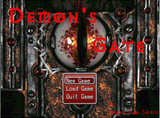
As for Demon's Gate, I did take some steps to reduce the initial difficulty (and its a lot easier than its last release, which was horrible and made to be hard for the creator, a very stupid move on my part) like only fighting two enemies at a time (on F2 of dungeon 1 and F1 of dungeon 2). Did you put on any equipment? I kept forgetting to make the change so that the player wouldn't get deequipped so there was gear in the inventory.
As for Demon's Gate, I did take some steps to reduce the initial difficulty (and its a lot easier than its last release, which was horrible and made to be hard for the creator, a very stupid move on my part) like only fighting two enemies at a time (on F2 of dungeon 1 and F1 of dungeon 2). Did you put on any equipment? I kept forgetting to make the change so that the player wouldn't get deequipped so there was gear in the inventory.
 Games - Tester
 Games - Other

