



 Full Games List
 Featured Games
 New Games
 Reviews
 Media
Media Images
 Blogs
Blogs Game Updates
 Images Feedback Summary
 Game Design Highlights
 Tutorials
 Articles
 Scripts
 Utilities / Plugins
 Resources
 Engines
 Engine Bulletins
 What is Makerscore?
 Past Events
 Achievements
 Misaos
 Forums
 Chat
Chat New to RMN?
 Full Store List
 RMN Music Pack (free)



 Profile
 Locker
 Play Lists
COELOCANTH'S PROFILE
coelocanth

5448
 Close
CloseSearch
Filter
 All
All Game Pages
 User Statuses
 [RMVX ACE] how to add bigger sprites in side view battle system for the actor?
VX Ace doesn't have side view built in, so you'll need to specify which scripts you're using for side view.
Have you tried making a sprite sheet with the same layout but just bigger? That works for the map sprites.
Have you tried making a sprite sheet with the same layout but just bigger? That works for the map sprites.
[RPGMAKER] What engine would you recommend?
There's three "series" available. Each has it's advantages, and downsides.
There is cross licensing so you can use resources (music, graphics etc) from any rpgmaker in any other rpgmaker.
tl, dr: VX Ace is a good choice. I mostly use VX Ace and MV, depending on the project.
The classic series (2000 and 2003)
2003 is generally superior to 2000.
These use 16x16 tiles (which are easy to draw).
There is no scripting built in, but the event commands in 2003 are more powerful than other RPG makers to compensate.
Example: You can have animated pictures "out of the box" with 2003's show picture command, which requires scripting in later versions.
There's the "Maniacs' Patch" for the legal version which does similar things to DynRPG.
The RGSS series (XP, VX, VX Ace)
RGSS is based on the Ruby programming language, which is user friendly and relatively easy to learn.
These use 32x32 tiles natively.
The art style changes from VX onward to character sprites fitting inside a single tile.
XP has some nicer features with mapping, such as the autotile expansion feature.
In other respects, VX Ace is the best of the series.
The HTML5 series (MV)
MV is based on web technologies, written in javascript.
On the upsides, you can package your game for different computers, mobile or web browsers.
It uses GPU for graphics, which makes things more complicated but can do fancy things in the right hands.
The engine (but not the editor) is completely open for you to mod with scripts.
But, it's javascript, which is a bit messy.
Natively uses 48x48 tiles, with a similar art style to VX Ace.
The community is a bit more commercially focused than the older engines.
There is cross licensing so you can use resources (music, graphics etc) from any rpgmaker in any other rpgmaker.
tl, dr: VX Ace is a good choice. I mostly use VX Ace and MV, depending on the project.
The classic series (2000 and 2003)
2003 is generally superior to 2000.
These use 16x16 tiles (which are easy to draw).
There is no scripting built in, but the event commands in 2003 are more powerful than other RPG makers to compensate.
Example: You can have animated pictures "out of the box" with 2003's show picture command, which requires scripting in later versions.
There's the "Maniacs' Patch" for the legal version which does similar things to DynRPG.
The RGSS series (XP, VX, VX Ace)
RGSS is based on the Ruby programming language, which is user friendly and relatively easy to learn.
These use 32x32 tiles natively.
The art style changes from VX onward to character sprites fitting inside a single tile.
XP has some nicer features with mapping, such as the autotile expansion feature.
In other respects, VX Ace is the best of the series.
The HTML5 series (MV)
MV is based on web technologies, written in javascript.
On the upsides, you can package your game for different computers, mobile or web browsers.
It uses GPU for graphics, which makes things more complicated but can do fancy things in the right hands.
The engine (but not the editor) is completely open for you to mod with scripts.
But, it's javascript, which is a bit messy.
Natively uses 48x48 tiles, with a similar art style to VX Ace.
The community is a bit more commercially focused than the older engines.
[RMVX ACE] Can you keep track of where a character is facing?
Yeah, the engine knows the player's direction (Normally whatever direction you last tried to move).
Events' directions are set by which image you pick in the editor, but turn to face the player when activated (unless "direction fix" is on), and can be turned by movement routes.
To make an idle animation that's different from the walk animation, you'll need to swap the character graphics when moving / not moving. This can be done with a script or a parallel process event.
Events' directions are set by which image you pick in the editor, but turn to face the player when activated (unless "direction fix" is on), and can be turned by movement routes.
To make an idle animation that's different from the walk animation, you'll need to swap the character graphics when moving / not moving. This can be done with a script or a parallel process event.
 Pa-Lette's Make!
author=Avee
Her name is Kazeno Aki-chan (literally translates to "Breeze's Autumn" lol)
Here's a little show of my script, your character and Mirak's window skin.
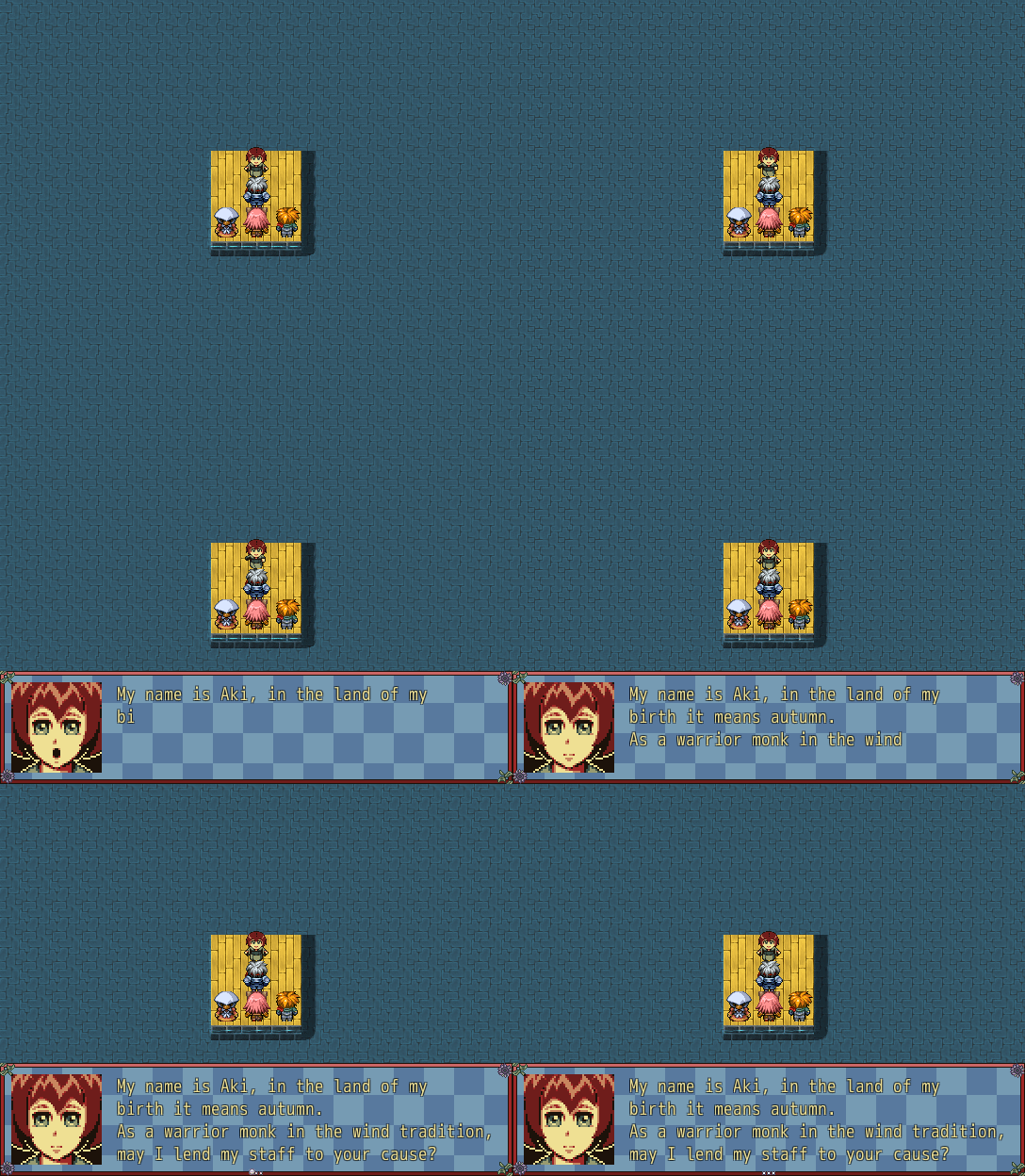
 Next Event Team Scouting
Script: I can make moderately complex systems quickly.
Graphics: I can sprite / tile a little, not good at portraits / painted style but make an attempt.
Sound: Kinda bad.
Graphics: I can sprite / tile a little, not good at portraits / painted style but make an attempt.
Sound: Kinda bad.
PIXEL SNEK SIGN-UPS

Valentiny Event
@kourtnie your game is packaged for hosting on a website, not downloading.
It's repairable by copying in everything except the "www" folder from another MV game, but you might want to fix the download if you have time.
It's repairable by copying in everything except the "www" folder from another MV game, but you might want to fix the download if you have time.
[RM2K3] "shadow" maze
Here's a sample project for Steam RM2k3
Sample Project
Look at MAP004 in the editor.
There are two invisible events in the corner.
The first one is an "autorun" that has a show picture command and then erase event. This loads the overlay when the player enters the map.
The second event is a "parallel" process that moves the picture each frame so it stays centered on the player when you approach the edges of the map.
You'll notice the image dethmetal posted is dithered. When importing an image to 2k3, you choose a single color to be transparent. While the whole image can be set with a transparency between 0 and 100%, the transparent color is fully transparent all the time. So use that for the lit area.
Sample Project
Look at MAP004 in the editor.
There are two invisible events in the corner.
The first one is an "autorun" that has a show picture command and then erase event. This loads the overlay when the player enters the map.
The second event is a "parallel" process that moves the picture each frame so it stays centered on the player when you approach the edges of the map.
You'll notice the image dethmetal posted is dithered. When importing an image to 2k3, you choose a single color to be transparent. While the whole image can be set with a transparency between 0 and 100%, the transparent color is fully transparent all the time. So use that for the lit area.
Help with play time in dialog box RPG Maker VX
Using the variable, you can use those "div" and "mod" options in the control variables command.
The "mod" option divides and returns the remainder.
The "div" option divides and rounds down
So,
The "mod" option divides and returns the remainder.
The "div" option divides and rounds down
So,
control variables: [0025 seconds] = 0023 play time MOD 60

control variables [0023 play time] = 0023 play time / 60

# play time is now in minutes

control variables: [0024 minutes] = 0023 play time MOD 60

control variables [0023 play time] = 0023 play time / 60

# play time is now in hours

show text "\v[23]:\v[24]:\v[25]"
Do you think making all these bridges usable is really necessary? RMMV
There's a plugin "OverpassTile.js" that may help if you have a lot of bridges on your map.
If you have the steam version of MV, it will be in dlc/KadokawaPlugins inside the install directory.
The plugin documentation has this note:
What that means is that things ON the bridge and UNDER the bridge can collide and interact as though on the same level. The same thing is true using the event/switch method.
If you have the steam version of MV, it will be in dlc/KadokawaPlugins inside the install directory.
The plugin documentation has this note:
Note: This plugin does not support the collision judgment modification between characters who are in different floors.
What that means is that things ON the bridge and UNDER the bridge can collide and interact as though on the same level. The same thing is true using the event/switch method.
 Games - Tester
 Games - Other
