Full Games List
 Featured Games
 New Games
 Reviews
 Media
Media Images
 Blogs
Blogs Game Updates
 Images Feedback Summary
 Game Design Highlights
 Tutorials
 Scripts
 Utilities / Plugins
 Resources
 Engines
 Engine Bulletins
 What is Makerscore?
 Past Events
 Achievements
 Misaos
 Forums
 Chat
Chat New to RMN?
 Full Store List
 RMN Music Pack (free)



 Profile
 Locker
 Play Lists
CHERRY'S PROFILE

 Close
CloseSearch
Filter
 All
All Game Pages
 User Statuses
 The official English 2k3 version is out!
author=JosephSeraph
it's supposed not to if you press f5, as it toggles interpolation on and off? I think
The other way round. It's not interpolating by default, it should be all crispy and clear, *unless* you press F5. Because I know some people actually like it blurred, for some reason.
The official English 2k3 version is out!
The official English 2k3 version is out!
author=GreatRedSpirit
Was anything done about some of the database limits like enemy stats and attribute multipliers? I had to use a resource editor to get the editor to get around those restrictions due topoor game designridiculous number inflation and skill damage algorithms and I'm not keen on doing that again to make sure my game works with an official release.
Which ones exactly? So we can add it in an update.
The official English 2k3 version is out!
It actually happened! :D
Degica has now, by order of KADOKAWA GAMES/Enterbrain and in cooperation with me, finally released an official English version of RPG Maker 2003 on Steam.
At this point I would like to give a big thanks to Archeia who put a lot of sweat and blood into this translation as well.
Link on Steam: http://store.steampowered.com/app/362870/
Price: $19.99
It should also be available on rpgmakerweb directly. EDIT: There you go: https://www.rpgmakerweb.com/products/programs/rpg-maker-2003
This finally officially allows creating commercial games with RPG Maker 2003 (after a registration). Fortunately, there is now also a license for patches.
There is also an official English RTP. Although it has the same content as the existing inofficial one, it has different filenames; but no worries, you can have both RTPs installed alongside each other.
This version is 1.10, which has been a bit tweaked and tuned by us:
* The fullscreen work properly, also on newer devices.
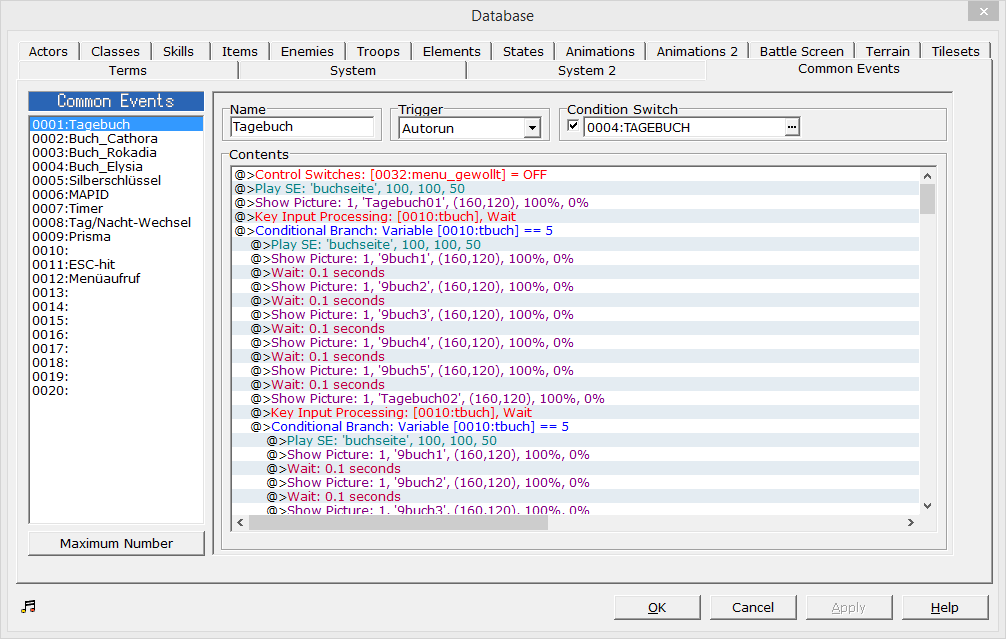
* The event editor was changed a lot:
** Its look and labels have been aligned with RMVXA - with colors and partly more information in the list than previously.
** It has a horizontal scrollbar, can copy events as text and loads large events faster.
** It's possible to copy event all commands between battle events and map/common events (although it will show a warning, because they still can't be modified while being in the "wrong" place).
* The help file now also works on Windows Vista/7/8.
* Maps can't get lost that easily anymore when a PC Cleaner is used.
* Multiple instances can be opened at the same time, and you can create direct shortcuts to projects in Windows Explorer.
* Battles go faster.
* You have 1000 pictures, 100 labels and 9999 switches/variables/etc.
* Picture commands also work while a message is displayed.
* The fonts are now directly integrated into the engine and don't need to be installed by the player.
A full changelog is available here: https://docs.google.com/document/d/1sXlXZIXdjxVq5gh_lPFuFLMbMRzZe4BKPpRI13ZD2Qc/edit?usp=sharing
Unfortunately the source code was lost over time. Therefore, it was a bit difficult to implement the real "killer features". Also, I originally planned to include all the bugfixes from DynRPG as well, and I wanted to integrate the CommonThisEventPatch, but there was not enough time. There will be updates, though.
Best wishes,
Cherry
PS: Screenshot of the event editor:
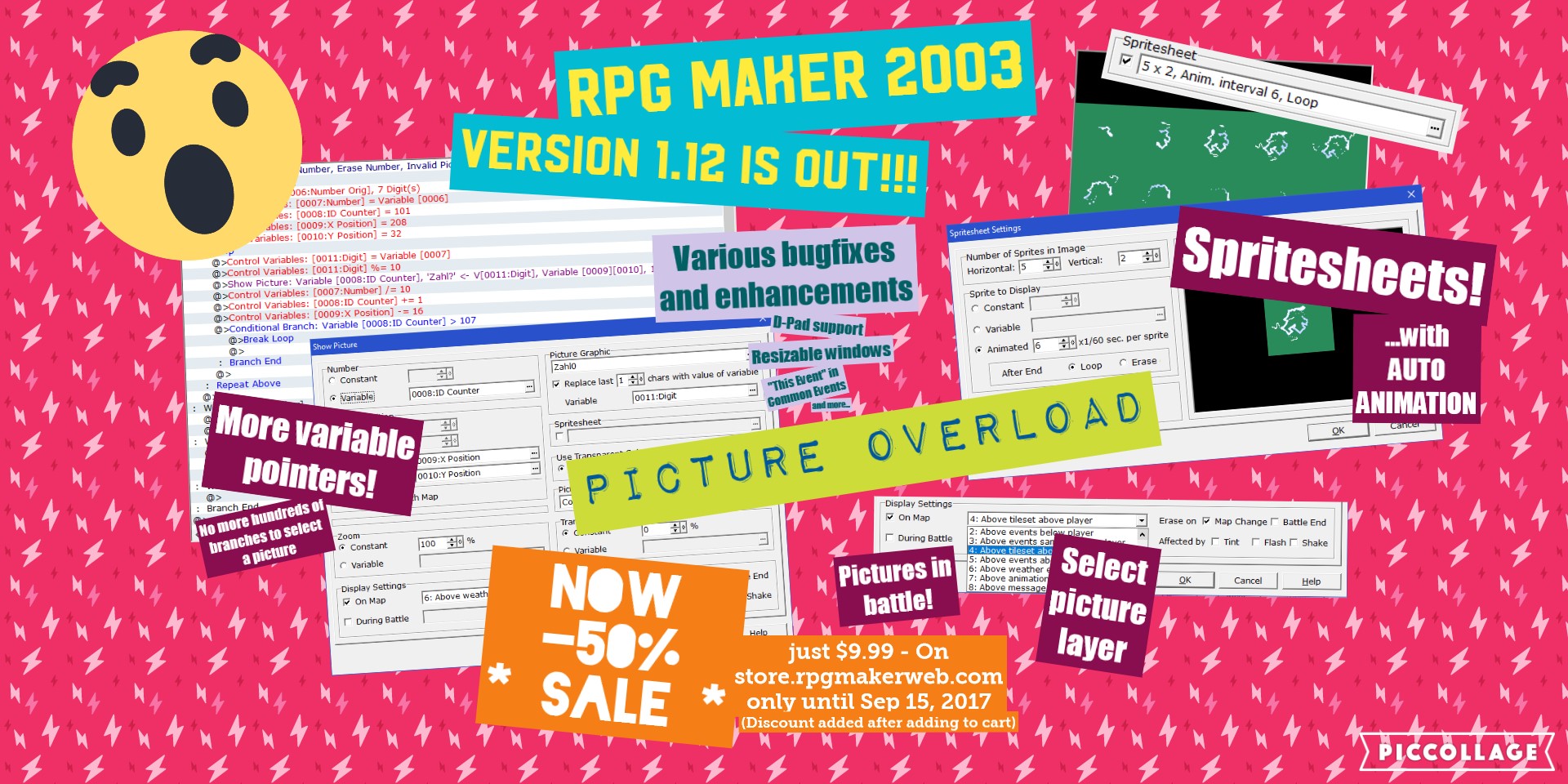
EDIT: Version 1.12 is out with a huge picture revamp! Check out the changelog or this teaser poster
Degica has now, by order of KADOKAWA GAMES/Enterbrain and in cooperation with me, finally released an official English version of RPG Maker 2003 on Steam.
At this point I would like to give a big thanks to Archeia who put a lot of sweat and blood into this translation as well.
Link on Steam: http://store.steampowered.com/app/362870/
Price: $19.99
It should also be available on rpgmakerweb directly. EDIT: There you go: https://www.rpgmakerweb.com/products/programs/rpg-maker-2003
This finally officially allows creating commercial games with RPG Maker 2003 (after a registration). Fortunately, there is now also a license for patches.
There is also an official English RTP. Although it has the same content as the existing inofficial one, it has different filenames; but no worries, you can have both RTPs installed alongside each other.
This version is 1.10, which has been a bit tweaked and tuned by us:
* The fullscreen work properly, also on newer devices.
* The event editor was changed a lot:
** Its look and labels have been aligned with RMVXA - with colors and partly more information in the list than previously.
** It has a horizontal scrollbar, can copy events as text and loads large events faster.
** It's possible to copy event all commands between battle events and map/common events (although it will show a warning, because they still can't be modified while being in the "wrong" place).
* The help file now also works on Windows Vista/7/8.
* Maps can't get lost that easily anymore when a PC Cleaner is used.
* Multiple instances can be opened at the same time, and you can create direct shortcuts to projects in Windows Explorer.
* Battles go faster.
* You have 1000 pictures, 100 labels and 9999 switches/variables/etc.
* Picture commands also work while a message is displayed.
* The fonts are now directly integrated into the engine and don't need to be installed by the player.
A full changelog is available here: https://docs.google.com/document/d/1sXlXZIXdjxVq5gh_lPFuFLMbMRzZe4BKPpRI13ZD2Qc/edit?usp=sharing
Unfortunately the source code was lost over time. Therefore, it was a bit difficult to implement the real "killer features". Also, I originally planned to include all the bugfixes from DynRPG as well, and I wanted to integrate the CommonThisEventPatch, but there was not enough time. There will be updates, though.
Best wishes,
Cherry
PS: Screenshot of the event editor:
EDIT: Version 1.12 is out with a huge picture revamp! Check out the changelog or this teaser poster
 Windows 8 and RM2K3
BTW, I finally have a fix for the fullscreen problem. Use a hex editor on RPG_RT.exe to search for 6A 00 6A 3C 6A 10. Replace the 10 by 20. In the following bytes, you will find 6A 10 three more times (always followed by a 68), replace them as well.
+++ DynRPG - The RM2k3 Plugin SDK +++
Since atbMode is part of RPG::system and RPG::system is one of the objects which the RPG Maker saves to the LSD files, the setting doesn't need to be set again in onLoadGame (think about it: Without the switch, when you change it in the menu, it also persists when you save and load again!).
Oh, and why is there a #define NOT_MAIN_MODULE ? It *is* the main module, so with this #define, it will produce a broken DLL because you didn't have any module in the DLL defined as main module :D
Oh, and why is there a #define NOT_MAIN_MODULE ? It *is* the main module, so with this #define, it will produce a broken DLL because you didn't have any module in the DLL defined as main module :D
How to disable Alt + Enter?
Yeah, personally I would take a non-working Alt+Tab and Alt+F4 as a dick move and be pissed about your game which obviously tries to "capture" me.
How to disable Alt + Enter?
Yes. Because window_style is an "array of flags", each stored in one bit of the value. We are interested in the 32nd bit from the right, whose value is 0x80000000, so we use "&" to filter it out. This means the value will either be 0 (bit not set) or 0x8000000 (bit set) after filtering.
How to disable Alt + Enter?
Actually, one more correction: The last line should be
I've updated the code above. Calling the method "fullscreen?" should now output true or false.
window_style & _WS_POPUP != 0
I've updated the code above. Calling the method "fullscreen?" should now output true or false.
 Games - Tester
 Games - Other